UX design - Product Redesign
Redesigning the task feature for Clio - a Legal SaaS platform that helps lawyers save time & money through the use of the cloud.
Overview
When I worked on Clio’s sales team, our task management feature was a consistently criticized and major pain point for many users. Motivated by my ambition to ultimately pursue a career as a Product Designer at Clio, I decided to address the issue in a hypothetical redesign and present it to the design leadership team.
To provide context, Clio is a cloud practice management tool tailored for lawyers to efficiently handle their legal cases. I worked on the full-cycle sales team where I was tasked with qualifying prospective buyers by uncovering their pain and presenting the solution through product demos.
This case study delves into my design process and explores the user experience considerations behind my reimagined Clio task feature, with an emphasis on enhancing productivity and fostering product stickiness.
My Role
Product Designer and UX Researcher; including user personas, sketches, wireframing and prototyping
What’s the Problem?
Users often use clunky workarounds or alternative tools to assign and manage tasks. This is a problem because these workarounds are costly and time consuming -- taking away from the firms billable hours.
How might we empower users to use Tasks in the way they want, to simplify their case management workflow?
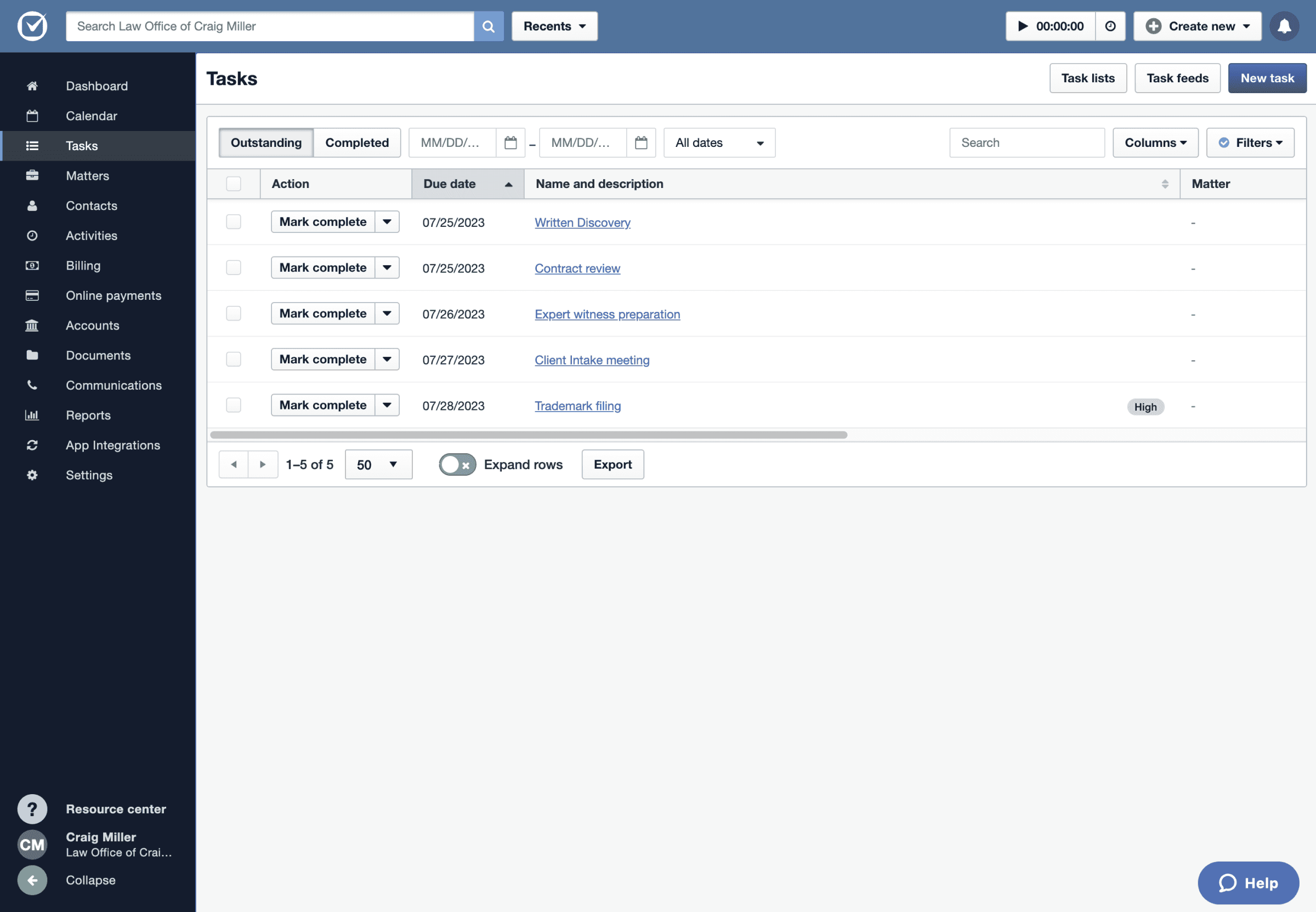
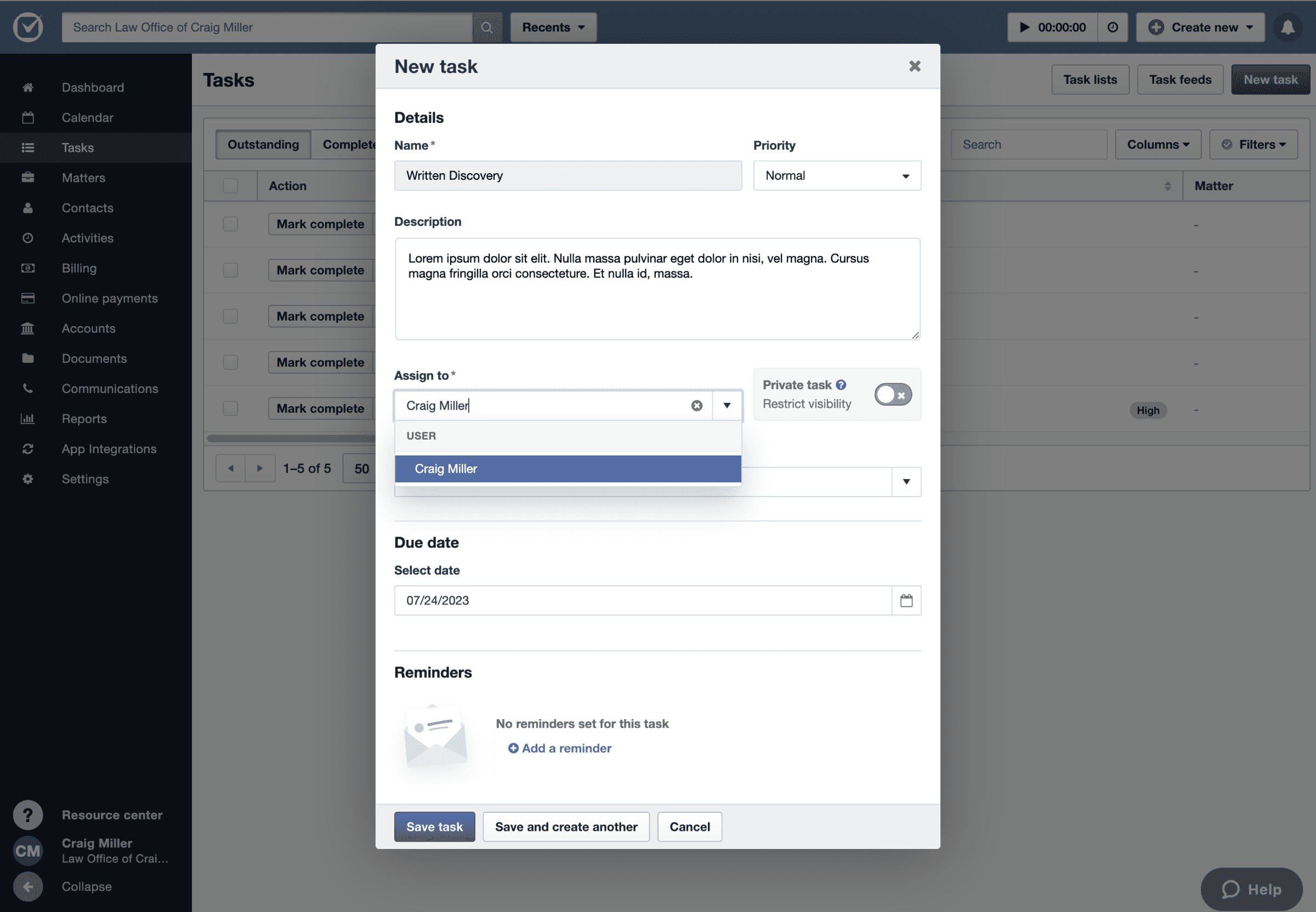
Previous design tl;dr
Users are only able to assign a task to one person.
Users can only sort tasks A-Z by column, but not by priority or in any custom order.
Task list due dates are static and based on an initial trigger date.
Tasks do not have a unique page to display its data or track progress.

Research
User Feedback
What are our users saying?
For this redesign, I needed to start with current User pain -- so I wanted to gather feedback that was specific and with as much context as possible. Thankfully, our team utilizes Productboard – a tool for collecting and categorizing direct product feedback.
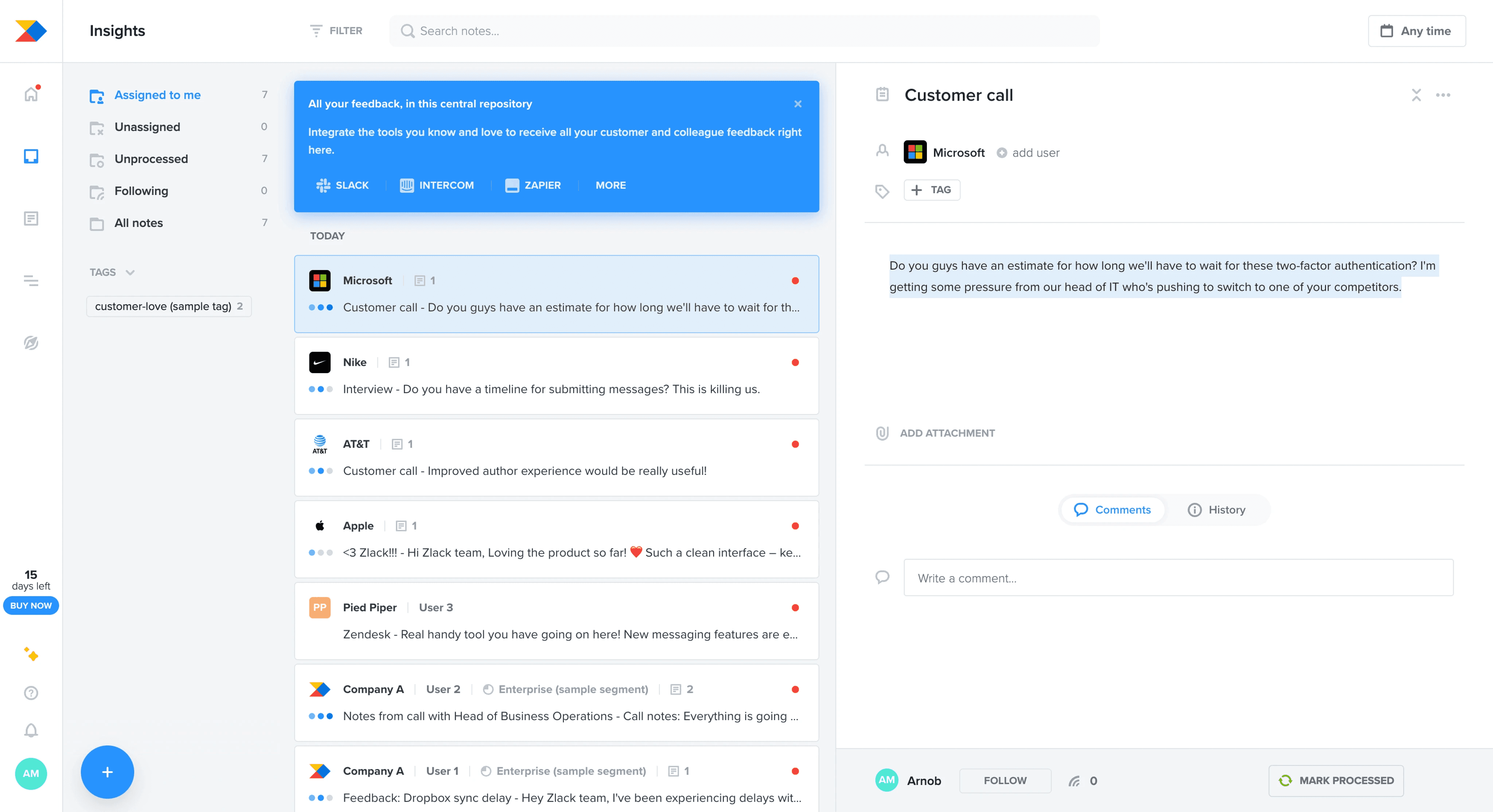
For the basis of my research, I chose a pool of 30 feedback submissions from Productboard.
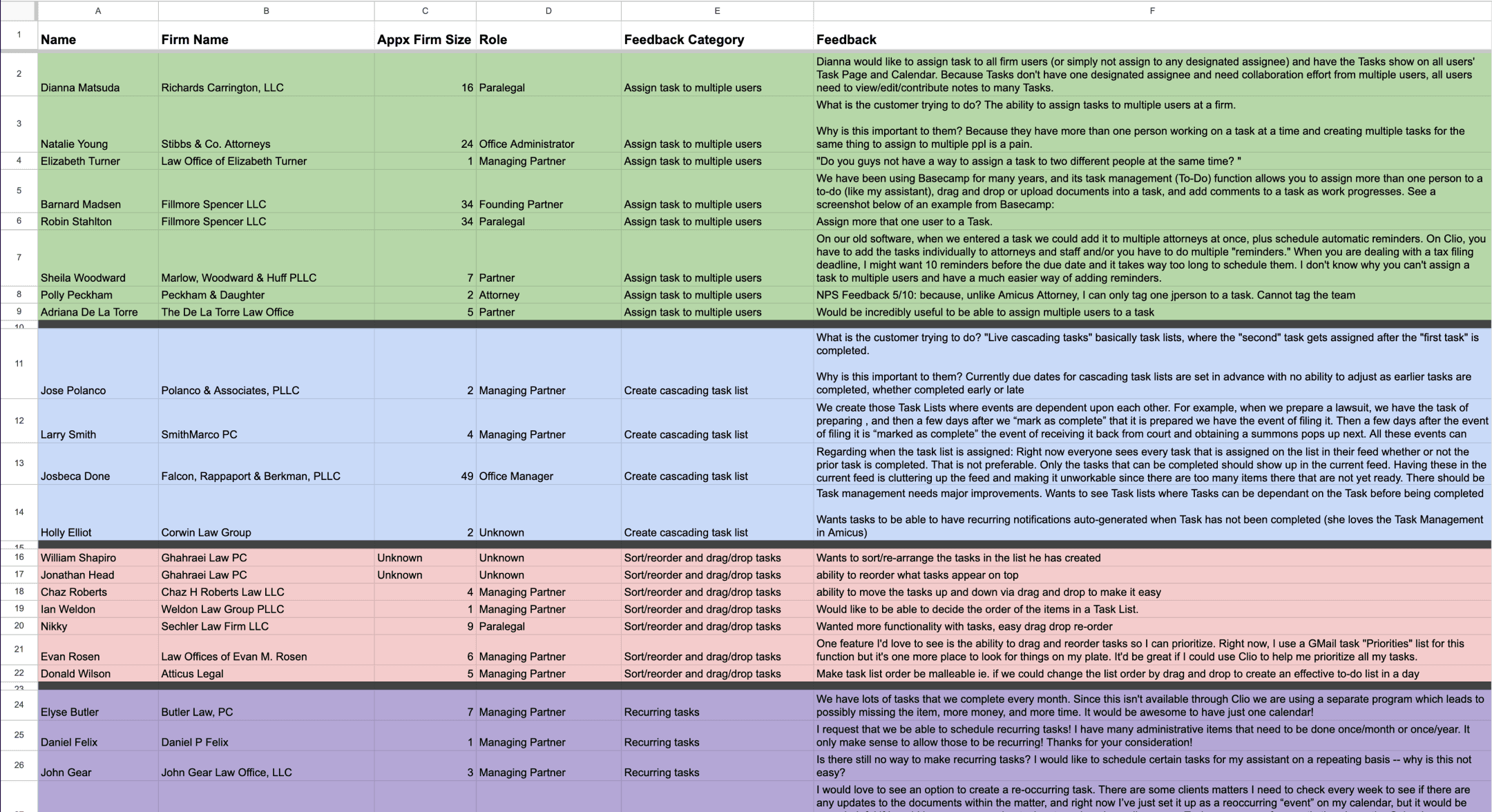
I then extracted the data onto a spreadsheet and sorted by like themes and frustrations to identify patterns.
Quotes from current users
"Do you guys not have a way to assign a task to two different people at the same time? "
“We create those Task Lists where events are dependent upon each other.
All these events can happen within a week of each other. But the following events cannot be performed unless the event before it is marked as complete.”
“One feature I'd love to see is the ability to drag and reorder tasks so I can prioritize.
Right now, I use a GMail task "Priorities" list for this function but it's one more place to look for things on my plate. It'd be great if I could use Clio to help me prioritize all my tasks.”
"Live cascading tasks, basically task lists, where the "second" task gets assigned after the "first task" is completed.”
🚨️️️ User Pain Points
From all the feedback submissions I collected and synthesized, these pain points seem to dominate the conversation:
🚧 There’s too many workarounds
Users are spending too much time on workarounds, in order to assign the same tasks to multiple people in the firm.
😖 Limited workflows available
Users fear that deadlines are being missed due to inaccurate due dates, because typically, users tasks list cascade based on previous task completion, not assignment date.
🎨 Needs more customization
Users want greater flexibility in the way they sort and view their tasks.
Defining Users
Empathy Mapping
Gaining empathy for our users
Now, I know what our users are saying -- but who is saying it? I wanted to understand who at the firm was expressing these frustrations and what might their motivations be.
Taking the data I was able to extract from Productboard, I ran through an Empathy Mapping exercise to help me step into the shoes of our users and understand more about their pain. This helped me uncover 2 unique user archetypes.

User Personas
Putting the User at the centre
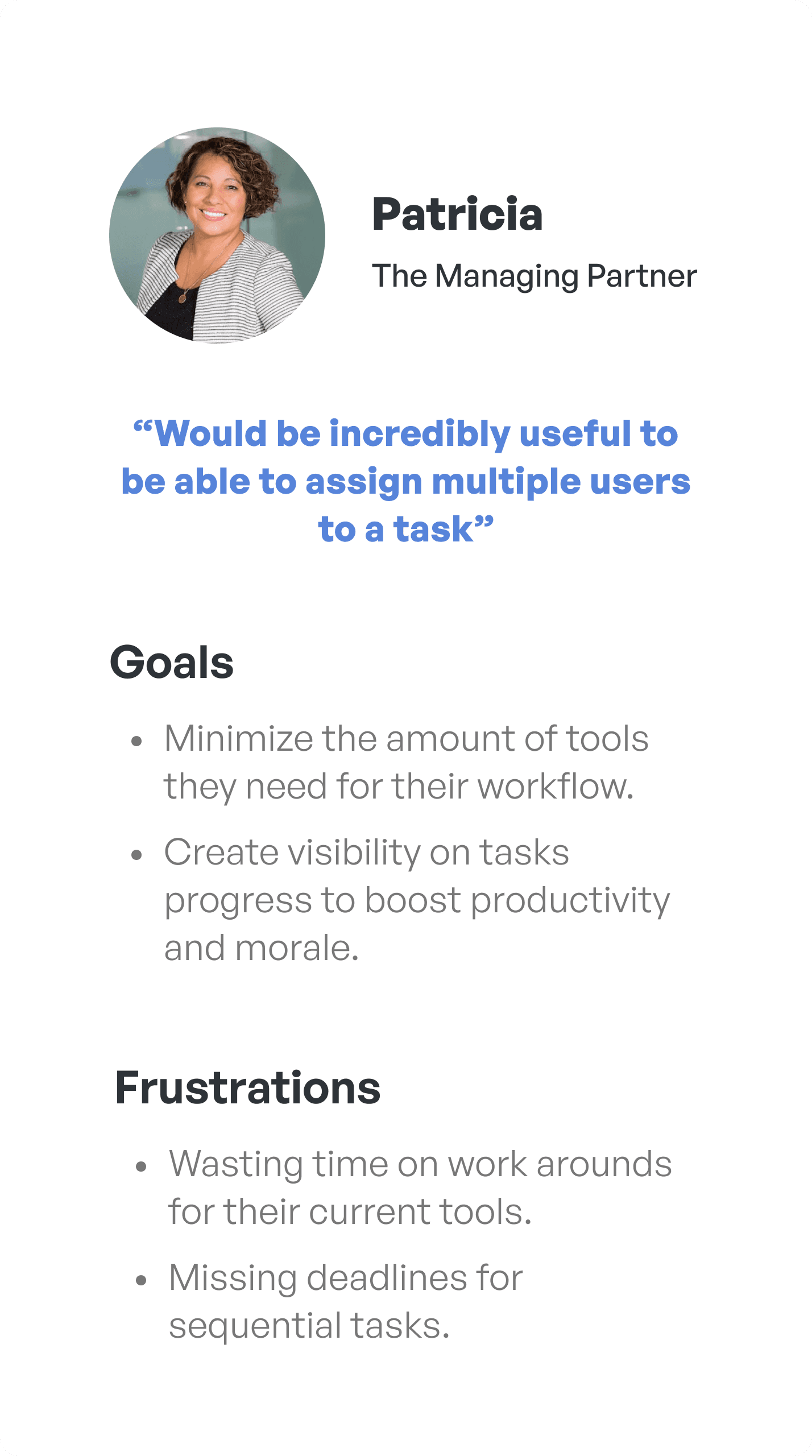
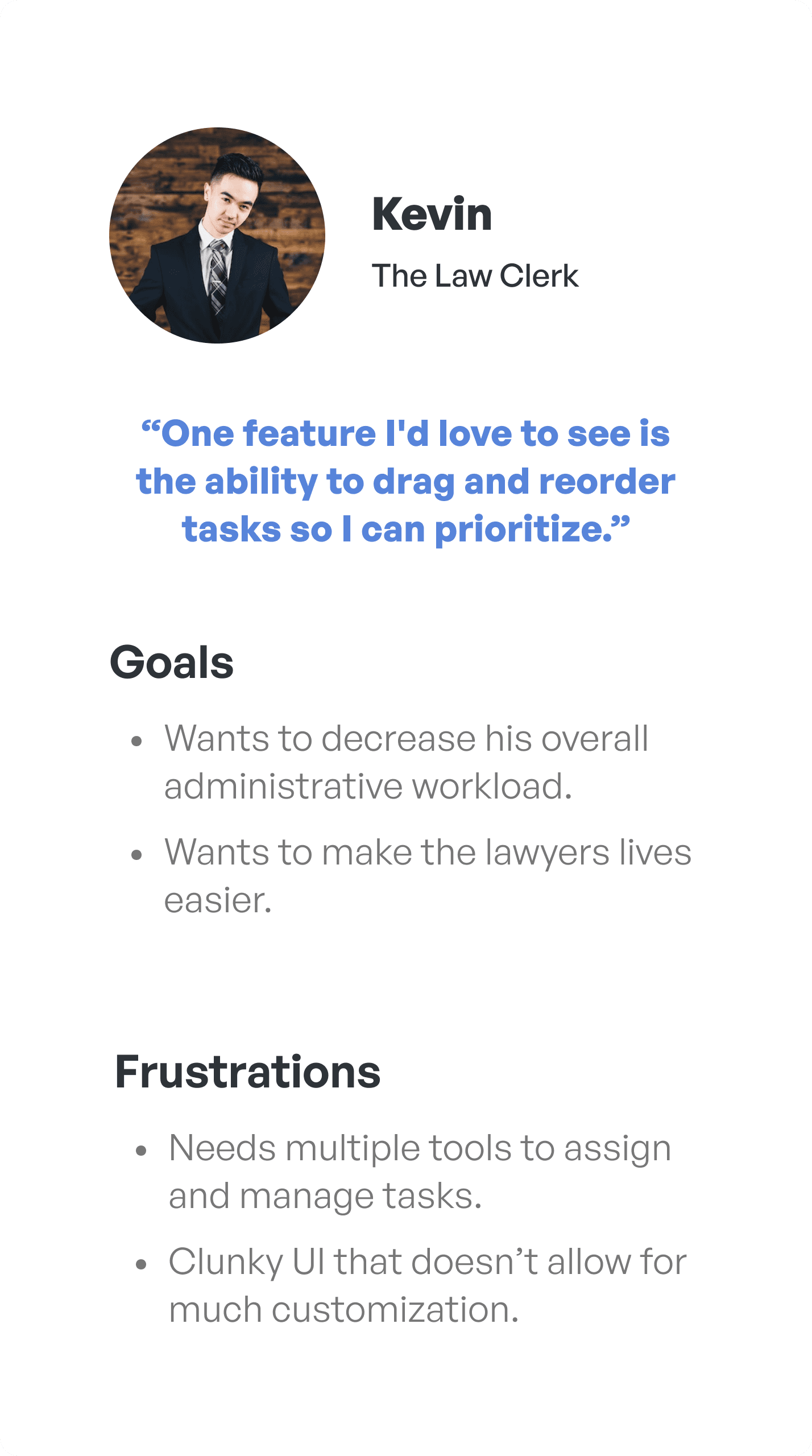
Using the two archetypes I uncovered, I crafted User Personas to help me frame the users 'wants' and 'needs' and to ensure a user centered design approach throughout the entire project.
Ideation
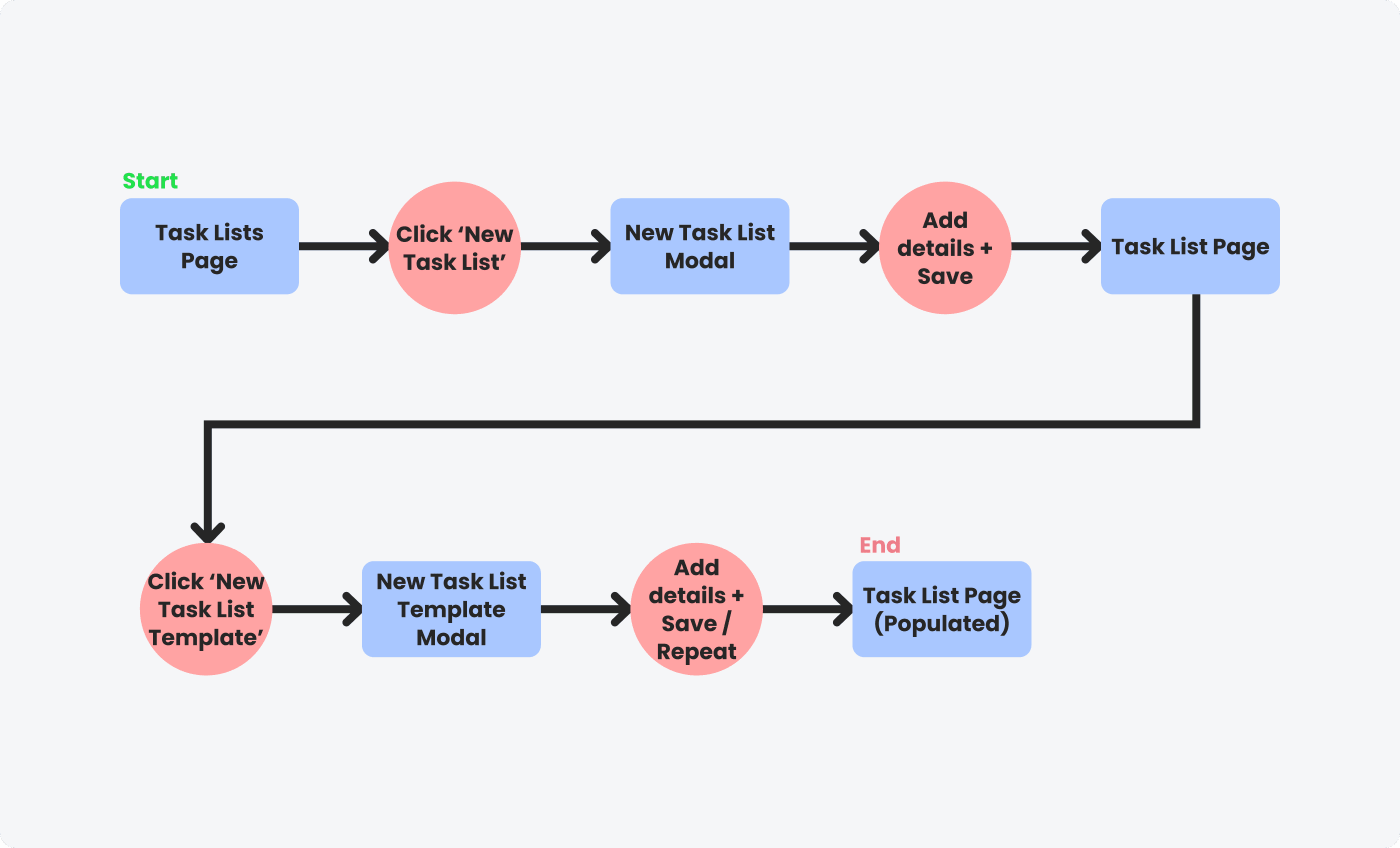
Task Flows
Mapping the user journey
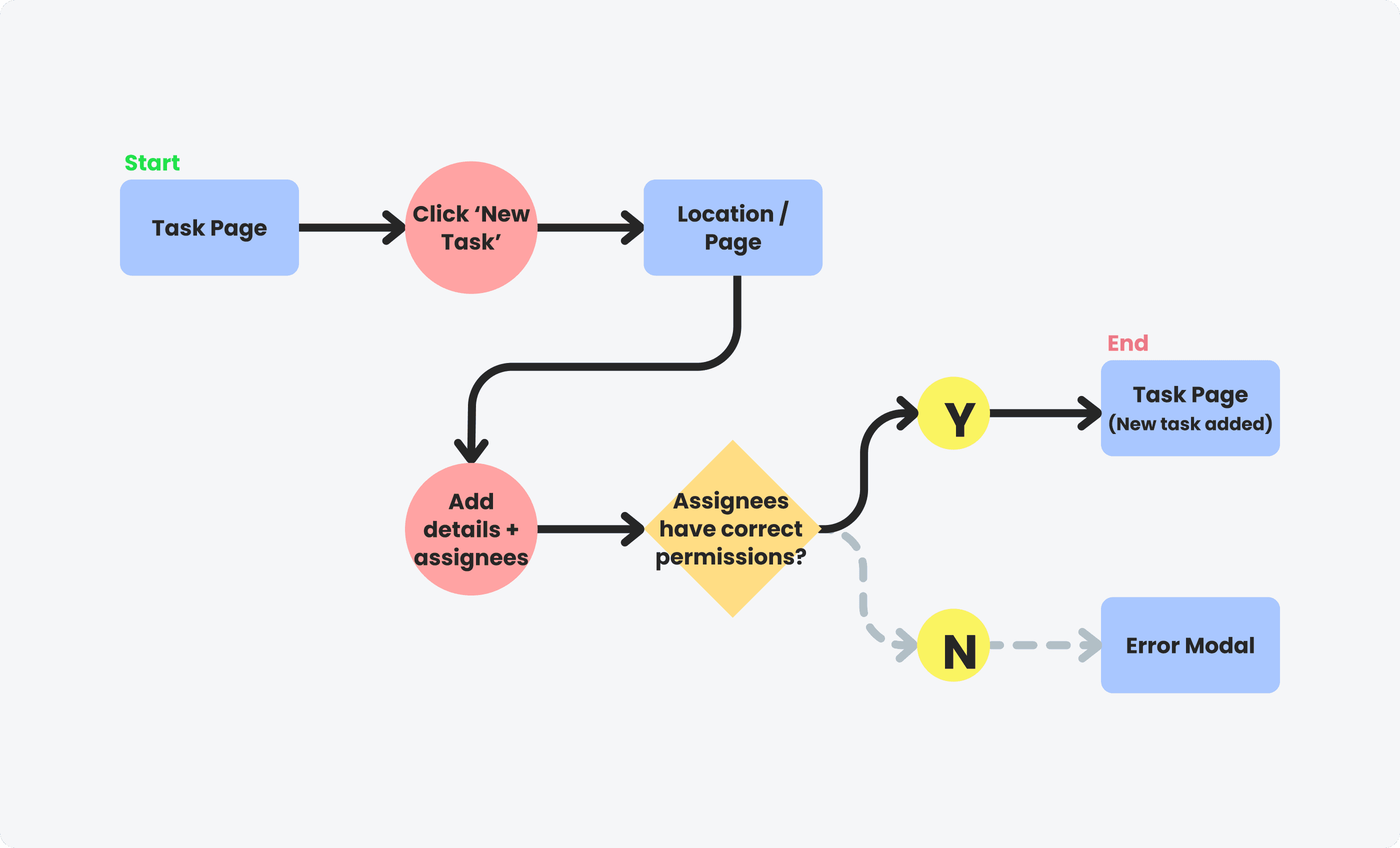
I focused in on two specific tasks that I believe are crucial to our users' workflow, and would serve as the starting point of this redesign; Assigning a task to multiple users and Creating a cascading task list.
Task
Assign a task to multiple people at the firm.
User Scenario
As a managing partner, I would like to assign a task to multiple people at the firm so that we can collaborate more efficiently.
Task
Create a cascading task list.
User Scenario
As a paralegal, I would like to create a cascading task list so that I can automatically assign tasks after a task is completed.
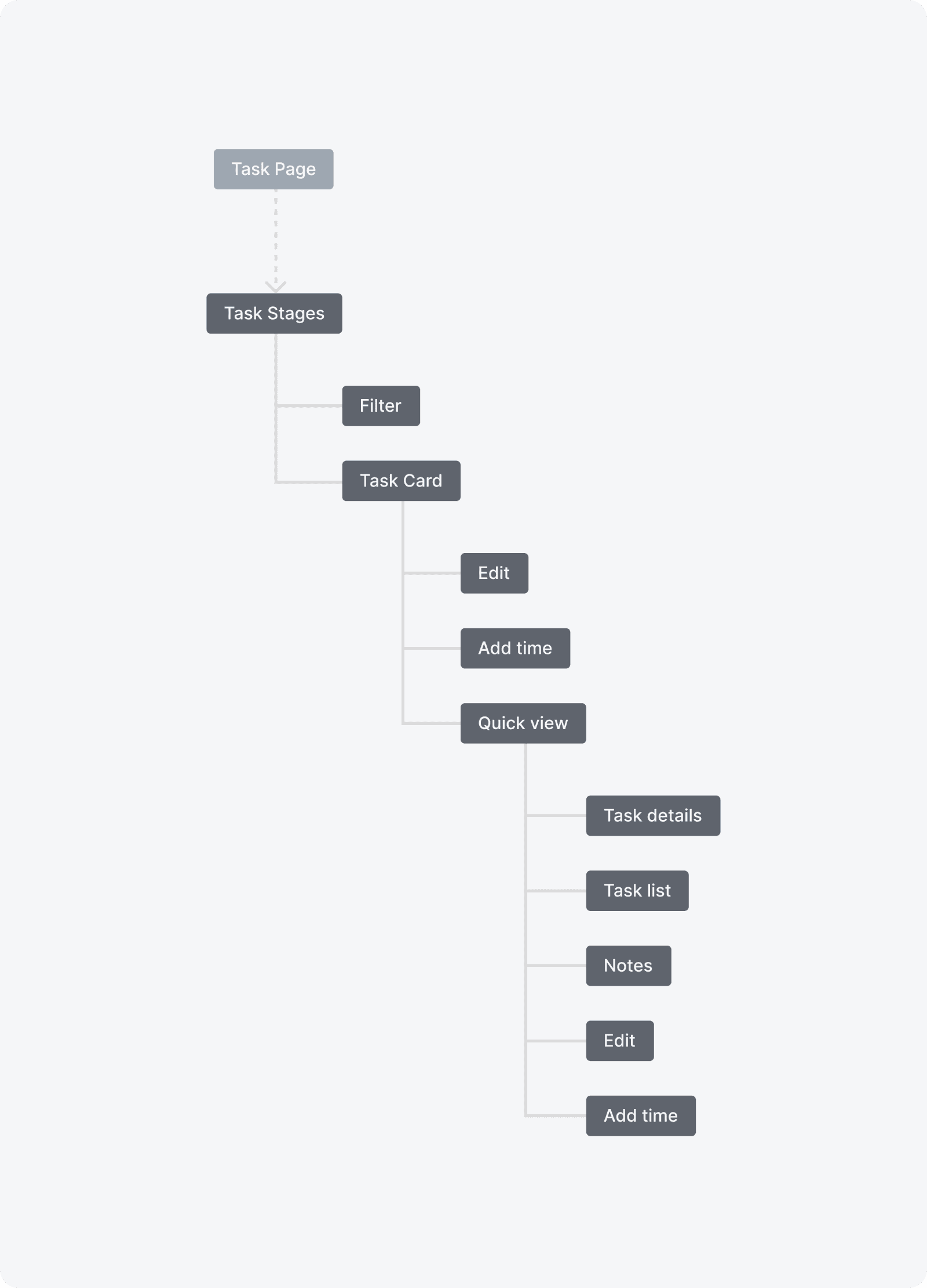
Information Architecture
Adding to the framework
With changes to the overall task management workflow, I needed to build out new Information Architecture to chart where new pages will exist within the platform.
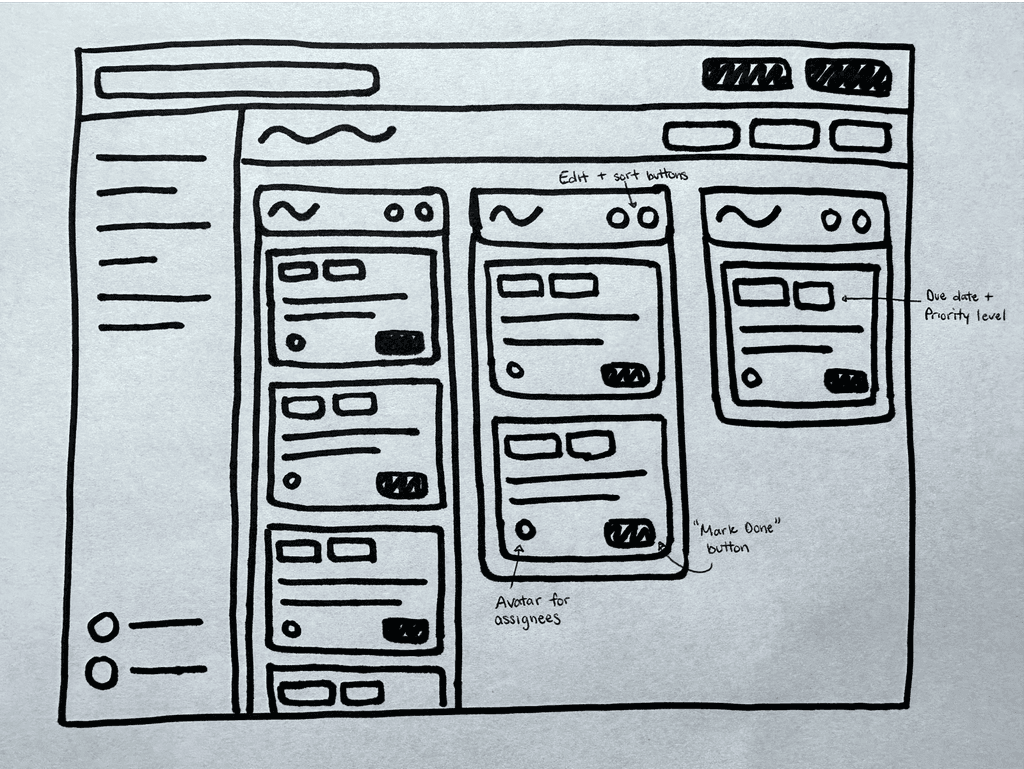
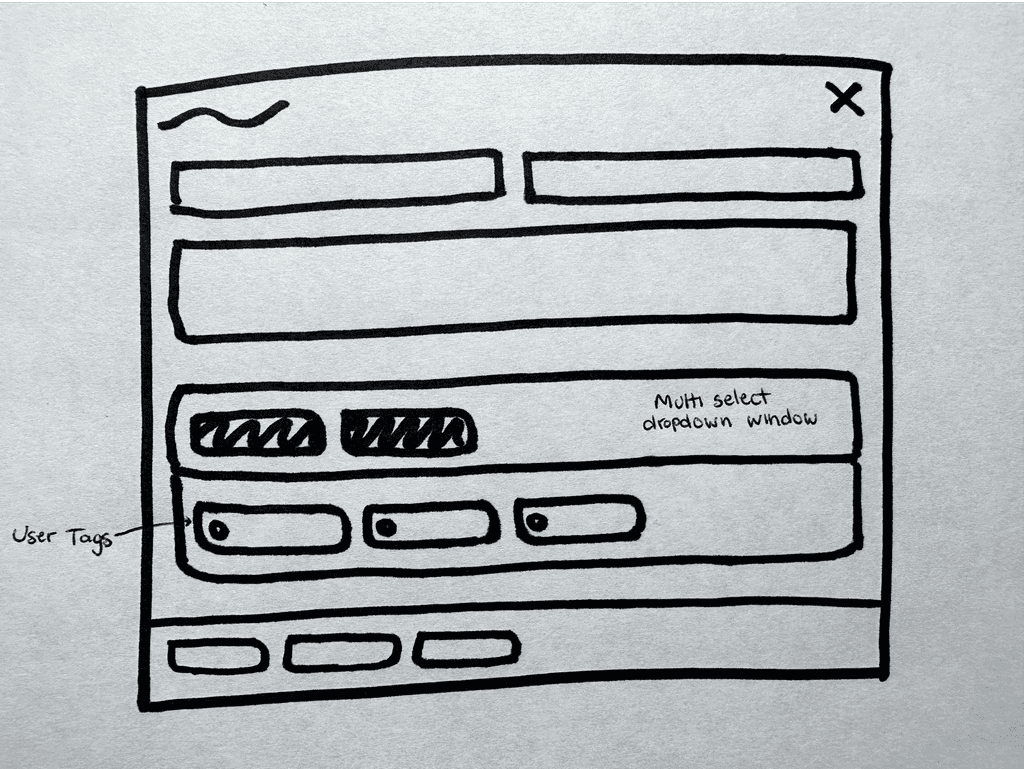
Sketches
Putting pen to paper
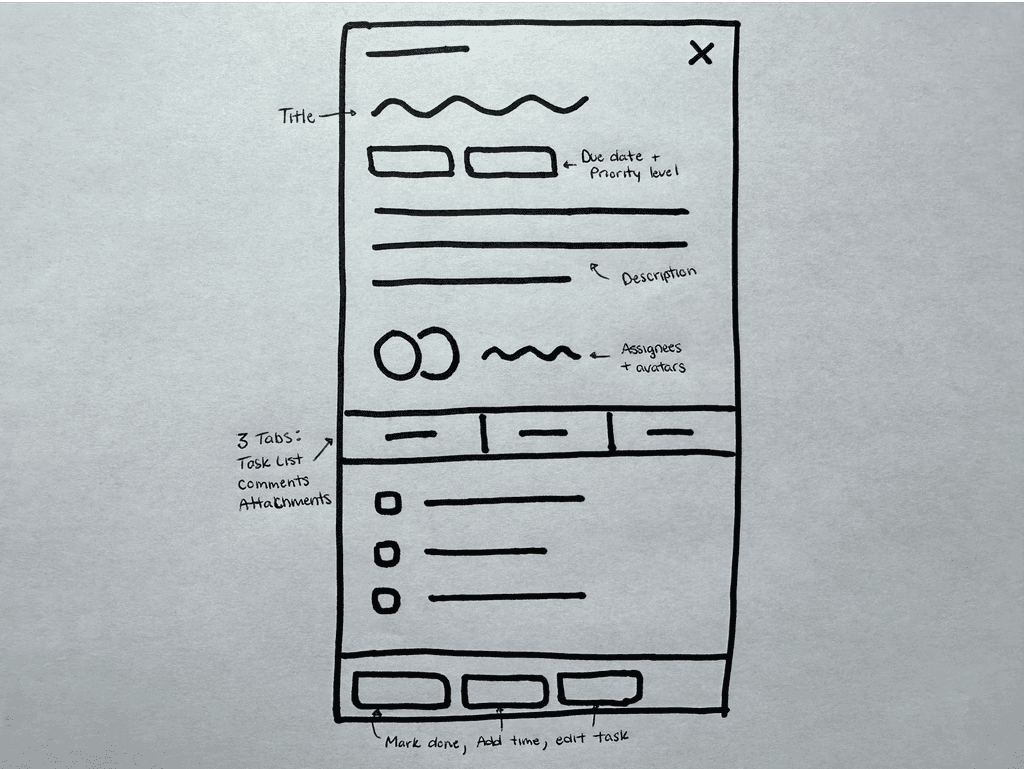
Starting with my notebook, I began to sketch ideas of what these pages could look like and how they could interact with each other in an overall flow.

Wireframing
Mid-fi Wireframes for prototyping
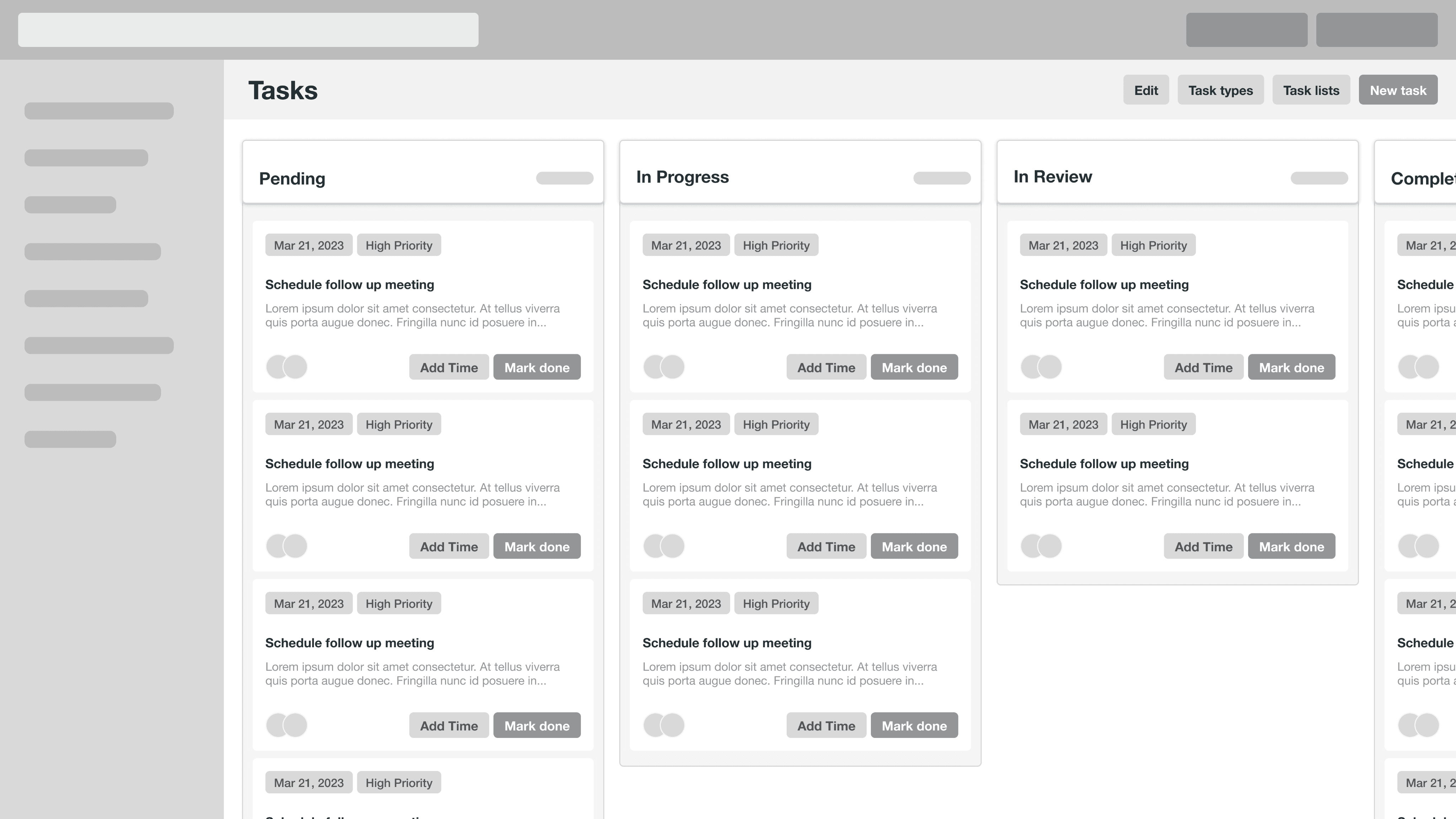
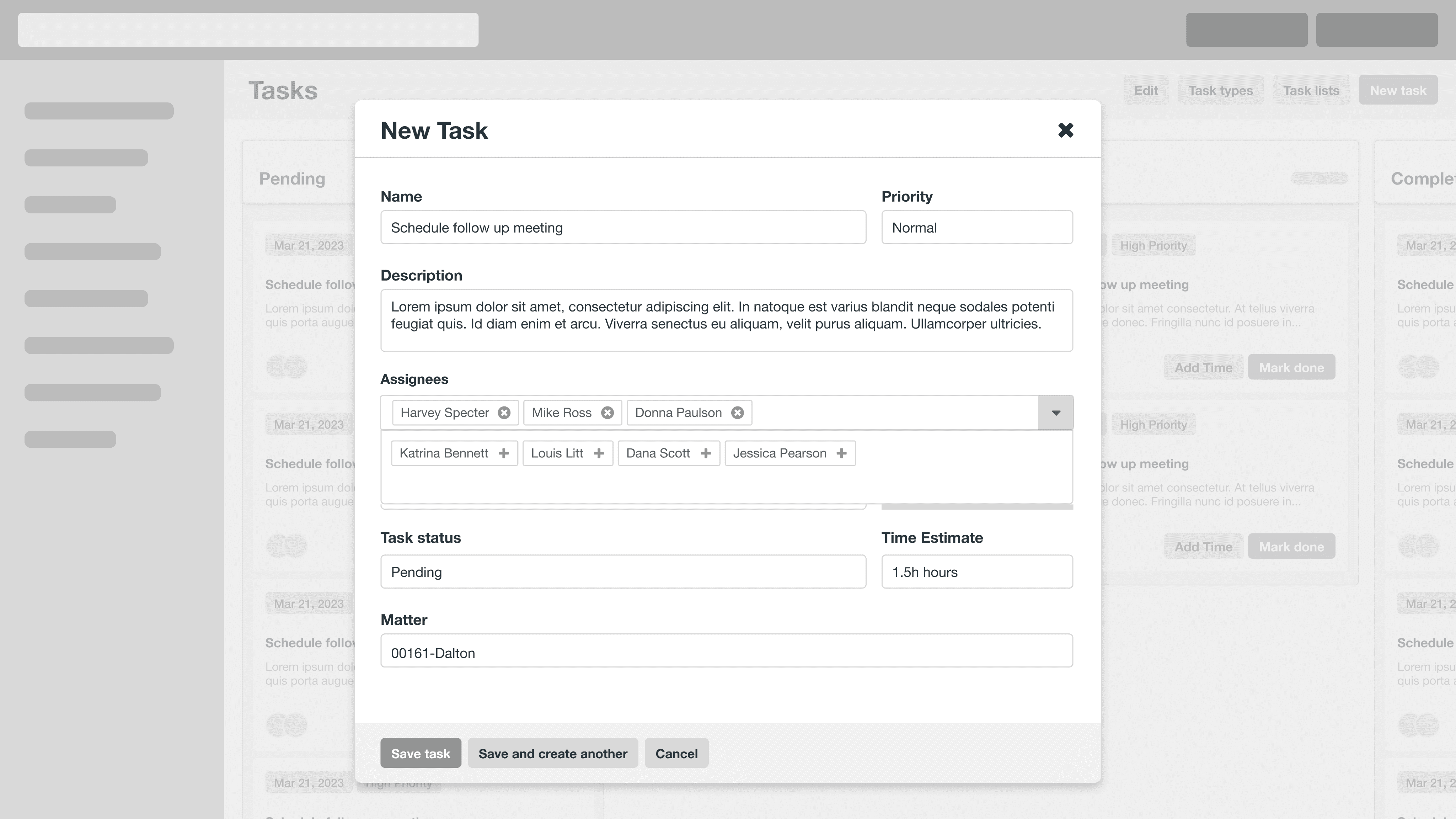
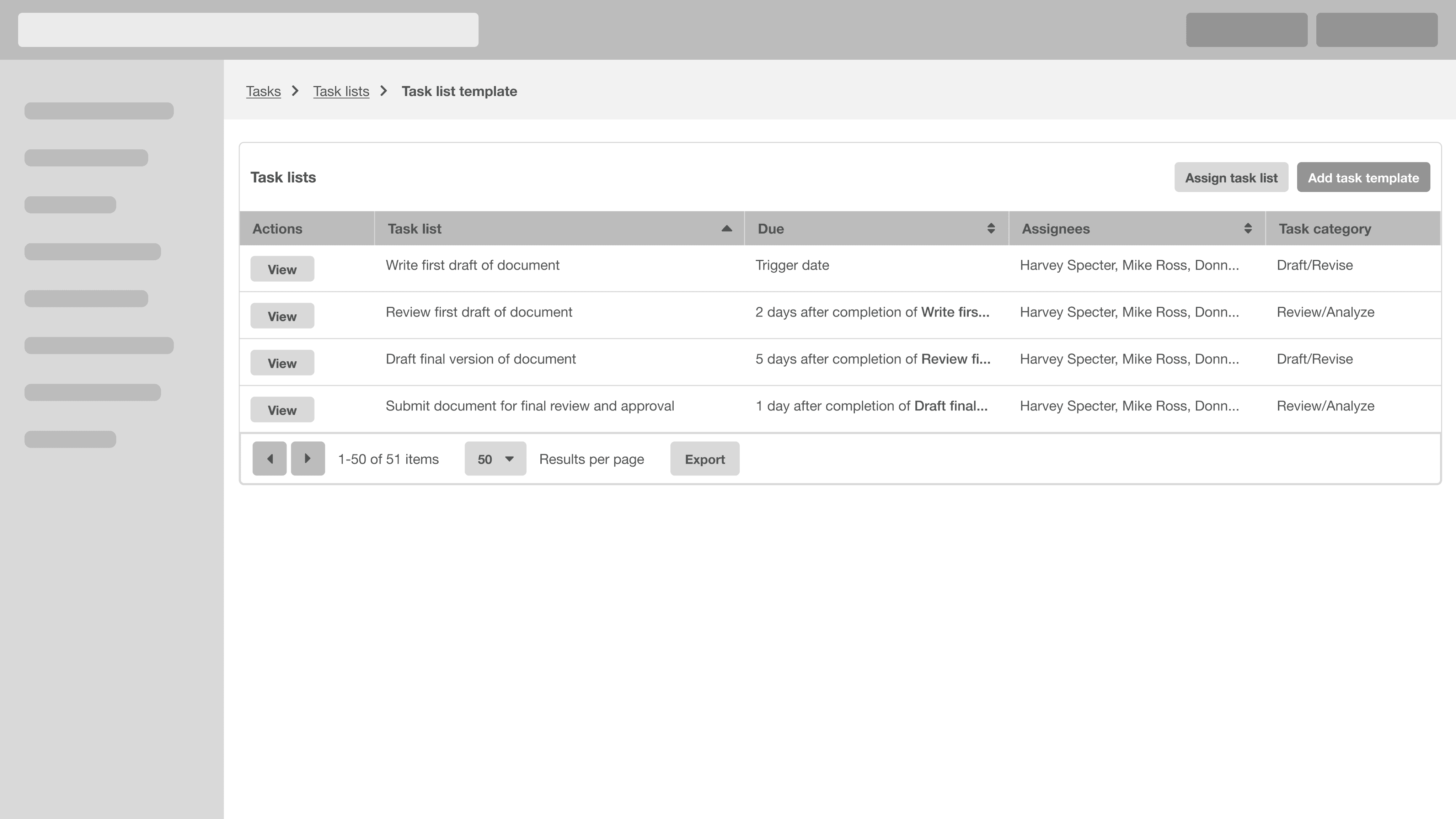
Wireframes play a vital role as a bridge between the initial ideation phase and visual design. By translating these concepts into comprehensive wireframes, I was able to the feasibility of my new workflows.

Final Design
Design Decision
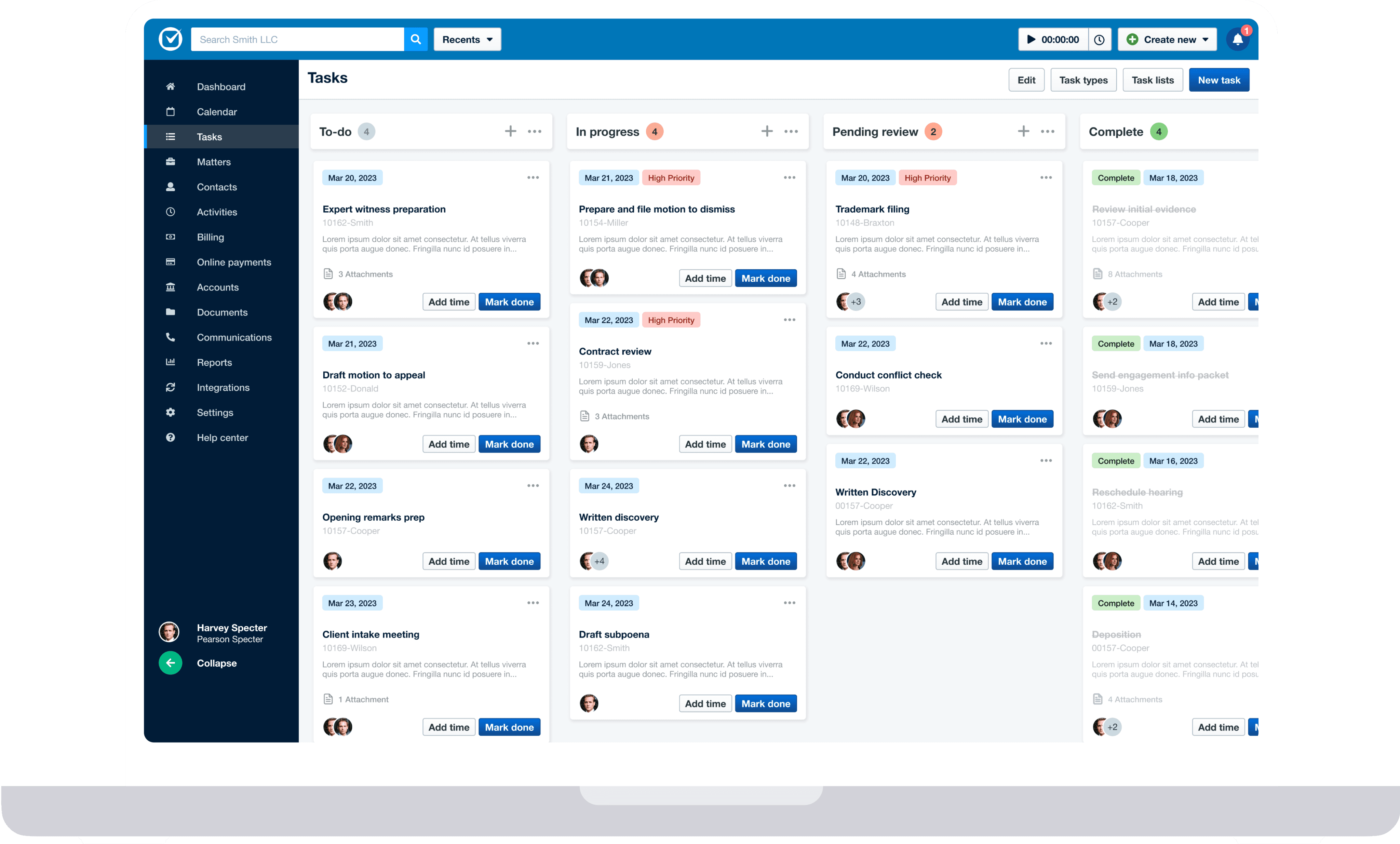
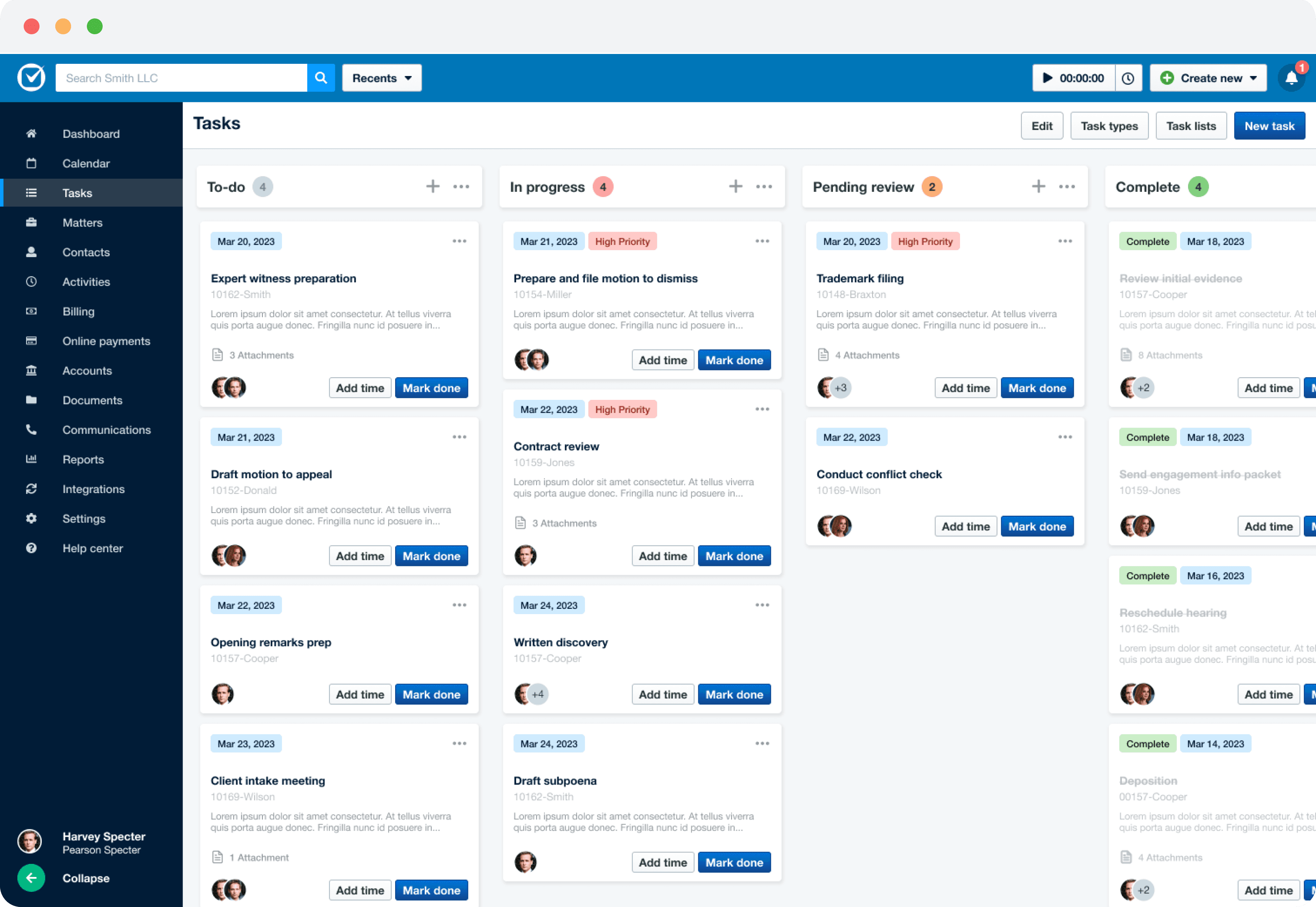
Introduced a new layout for desired flexibility
The ability to drag/drop and reorder tasks was a hotly requested feature from our users. By introducing a new kanban style layout, users are able to sort their tasks and prioritize them in an order that makes sense for them.
Task Flow
Add multiple users to a task
I added the ability to assign a task to more than one person at the firm. Users want the ability to assign tasks to multiple people, as oftentimes, multiple parties need to take action on it.
Currently, users are creating duplicate tasks to achieve this task, which is clunky and time-consuming.
Design Decision
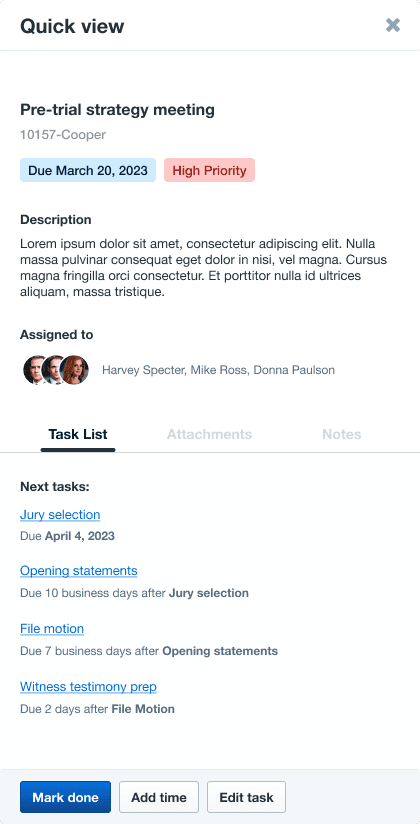
Created a ‘quick view’ for tasks
Created a slide out panel for tasks where a user can quickly view task details, task lists and track correspondence related to task.
Task Flow
Create a cascading task list
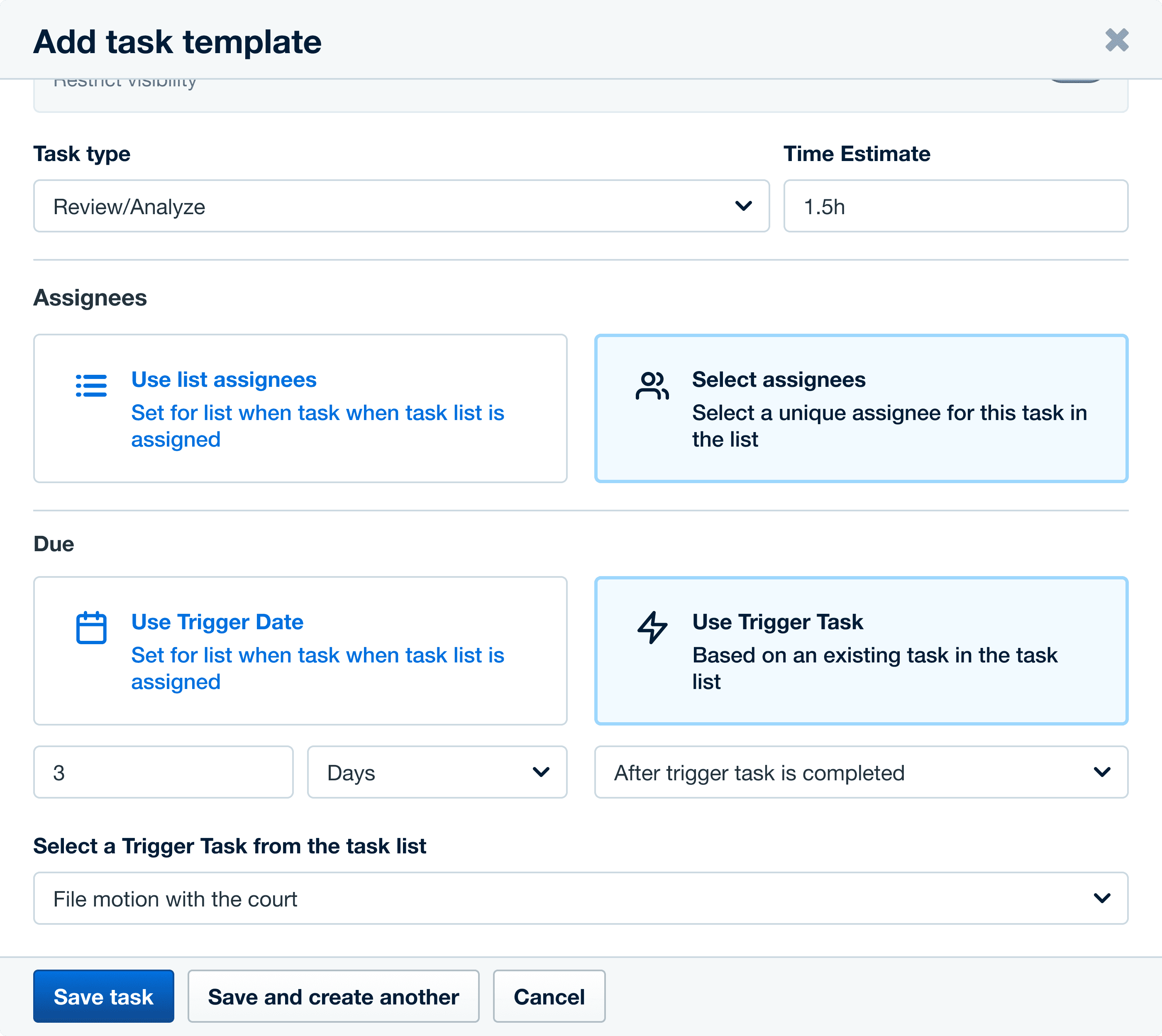
Added the ability for users to create a cascading task list that will auto-assign tasks in a list based on previous task completion. For our Users, many of their tasks are time sensitive and dependant on the completion of a previous task.
Design Decision
Introduced ‘Trigger Tasks’
Users can now use a trigger task to determine the due date of a task, based on the completion of a previous task.
Conclusion
Outcome
No job offer, but a learning experience nonetheless
My ultimate goal with this project was to demonstrate my design skills and experience by solving a real customer problem for my current employer. I was hoping to secure a Product Designer role within Clio, where I was working as a Sales Rep at the time.
I presented my work to design leadership and they were impressed with the project -- particularly praising my design process, but unfortunately did not have a suitable role for me then.
Despite not landing the job, I consider this project a success. I broadened my design experience by tackling a SaaS product and learned valuable lessons on the importance of a user-centered design approach and considering constraints when redesigning an existing product.
lessons learned
The importance of UCD and considering constraints in design
Direct customer feedback was the foundation of this project. This ensured that every decision would be driven by User pain and would focus on solving tangible problems for users. As an entrepreneur at heart, it’s easy for my mind to run wild with ideas. So by embracing a user-centered design process, I learned to design more efficiently by streamlining design decisions, trimming away fluff, and focusing on solving real user problems.
Thankfully the team also gave me great feedback around my project, encouraging me to consider some constraints when redesigning an existing product, such as:
Considering the tradeoff between innovating a product to enhance the user experience and disrupting current user workflows;
Users who may favour the previous design and how I might smoothen the transition to a new workflow;
How added functionality such as 'adding multiple users to a task' will impact other aspects of the product such as permissions or productivity data.
looking ahead
Adding value where I can
For this project: The next phase of this redesign would focus on the power user; the Managing Partner who tracks firm productivity, or the Law Clerk responsible for managing tasks for multiple people at the firm. During discovery, there were many users who matched these archetypes. Most of them alluded to their task management process being quite complex, leveraging many different tools to manage their tasks. What aspects of their workflow can we simplify in Clio?
For me: I’m currently seeking exciting new opportunities where I can leverage my design skills alongside my diverse experience in Sales and Entrepreneurship. Through a consultative sales approach I learned how to unearth user pain points and find creative solutions, while adding tangible value. Now as a Product Designer, I’m hoping to join a product team that is adding true value by being user centered and results driven.
Check out this next project
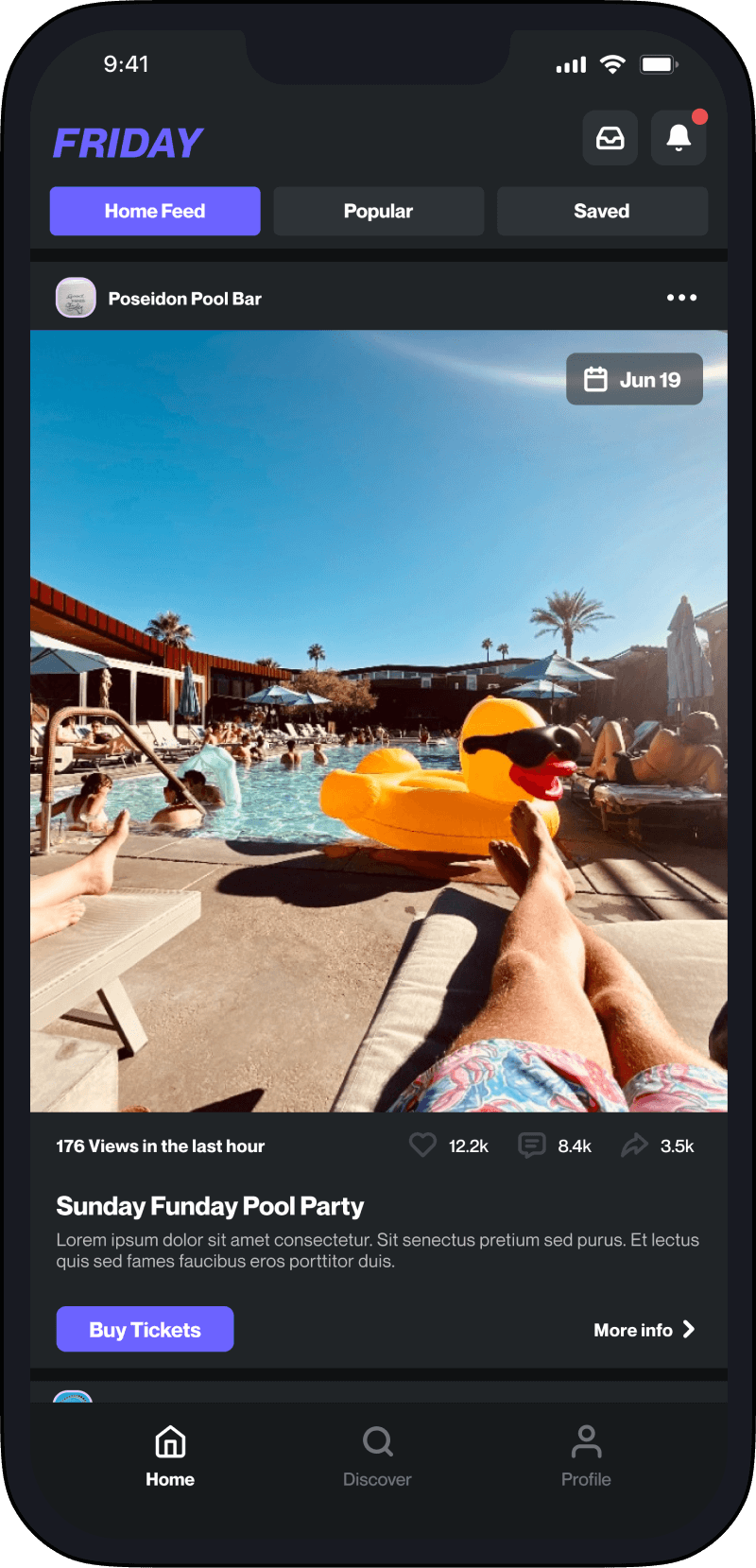
UX design - conceptual project
Creating a seamless app experience for nightlife seekers
Helping people discover fun events right in their neighbourhood.

Let’s connect
Get in touch for opportunities or just to say hi! 👋