UX design - conceptual project
Creating a seamless app experience for nightlife seekers
Helping people discover exciting events right in their neighbourhood.
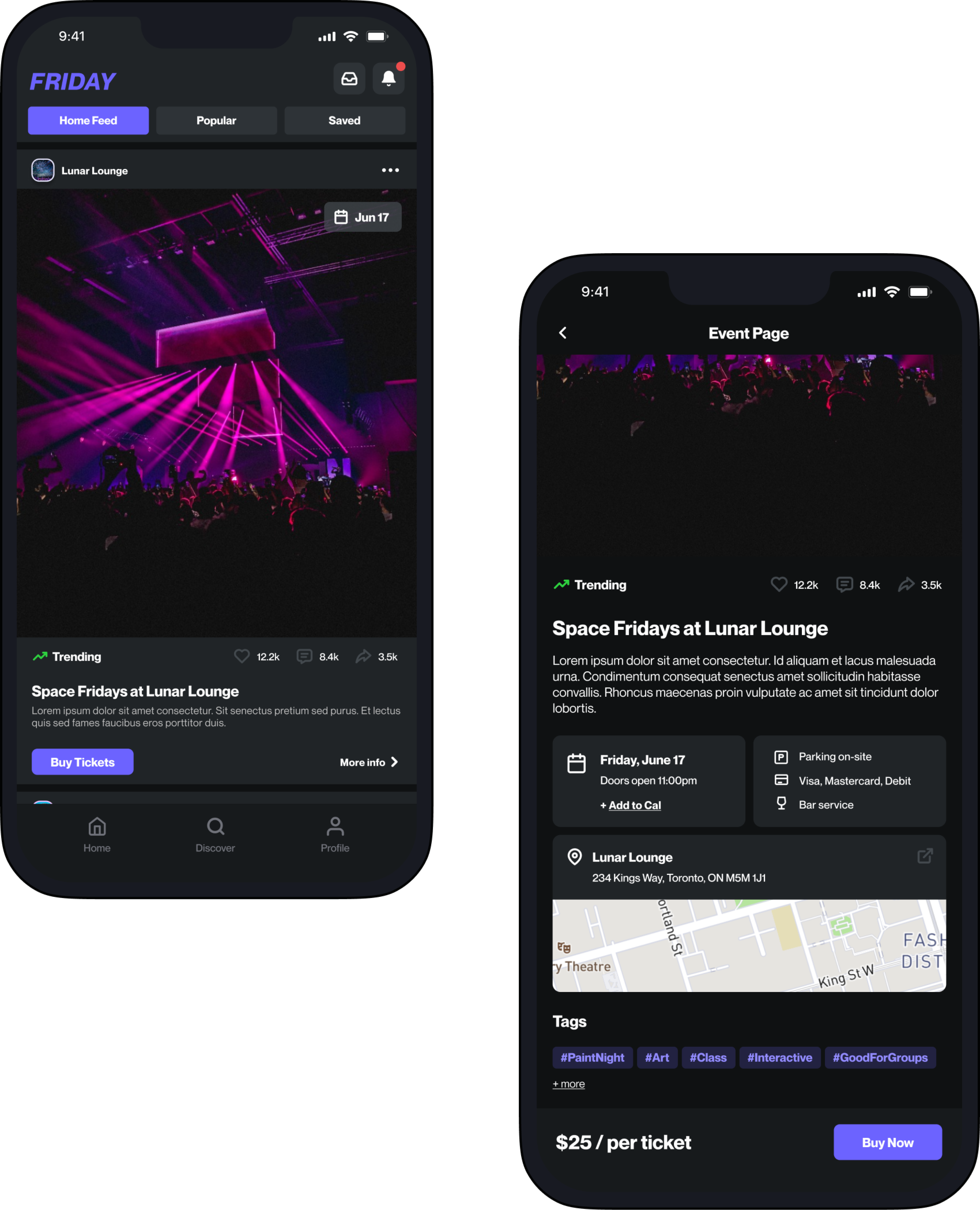
Overview
In this case study, we delve into the design process behind the creation of the "Friday" mobile app—aimed at connecting users with exciting local events within their city. My goal with this project was to learn key UX design principles through creating an engaging event discovery platform that not only simplifies the process of finding nearby events, but also enhances the overall user experience.
My Role
Product Designer and UX Researcher; including user personas, sketches, wireframing and prototyping
What’s the Problem?
Event seekers, looking for fun things to do, are not able to easily discover local events.
How might we provide real-time exposure of local popular events to nightlife goers and create a seamless all-in-one event experience?
What’s the solution?
My solution is a mobile app where users can easily discover exciting local events through a curated feed of event promotions. In addition to in-app search, the app will utilize algorithms and machine learning to analyze user behaviour and predicted future preferences.
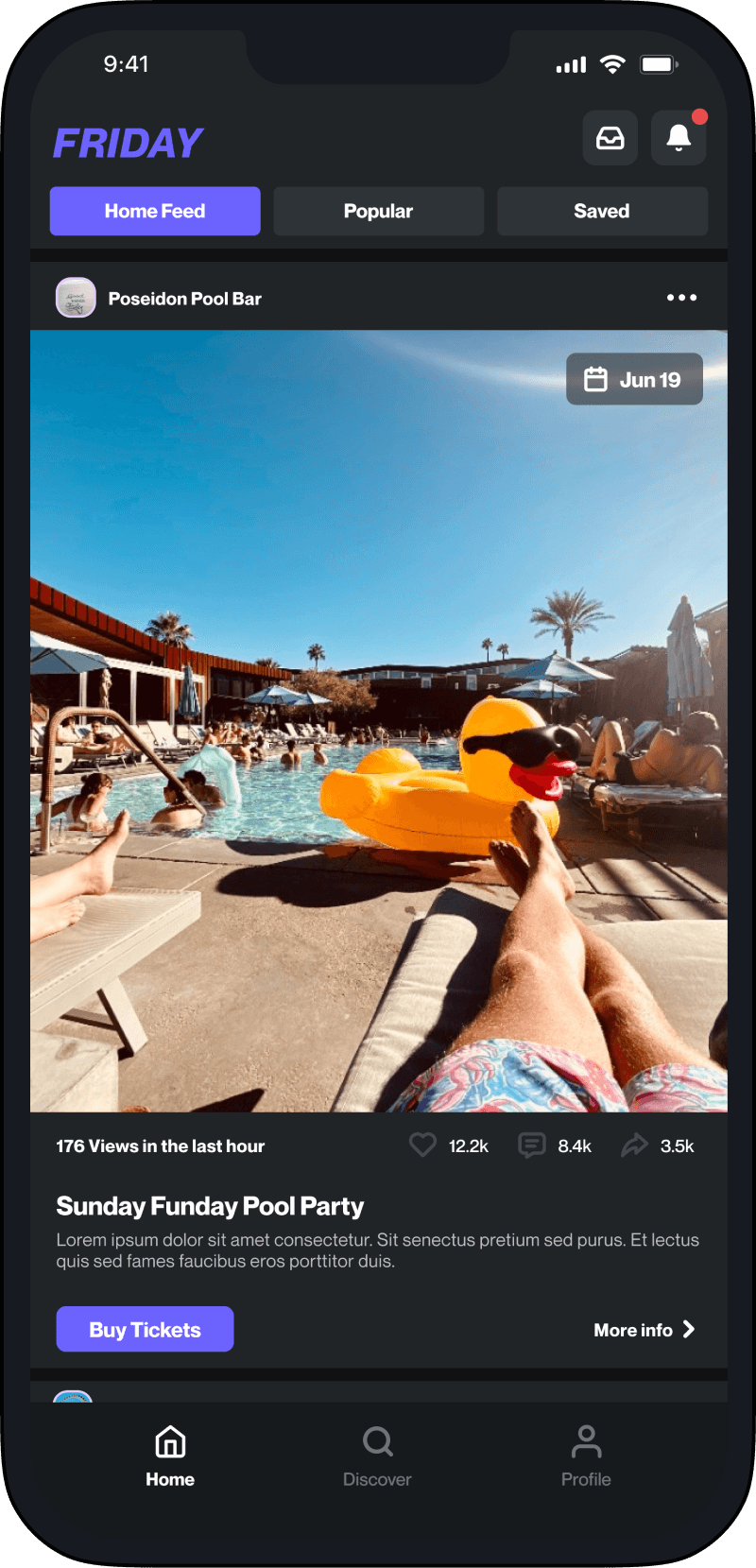
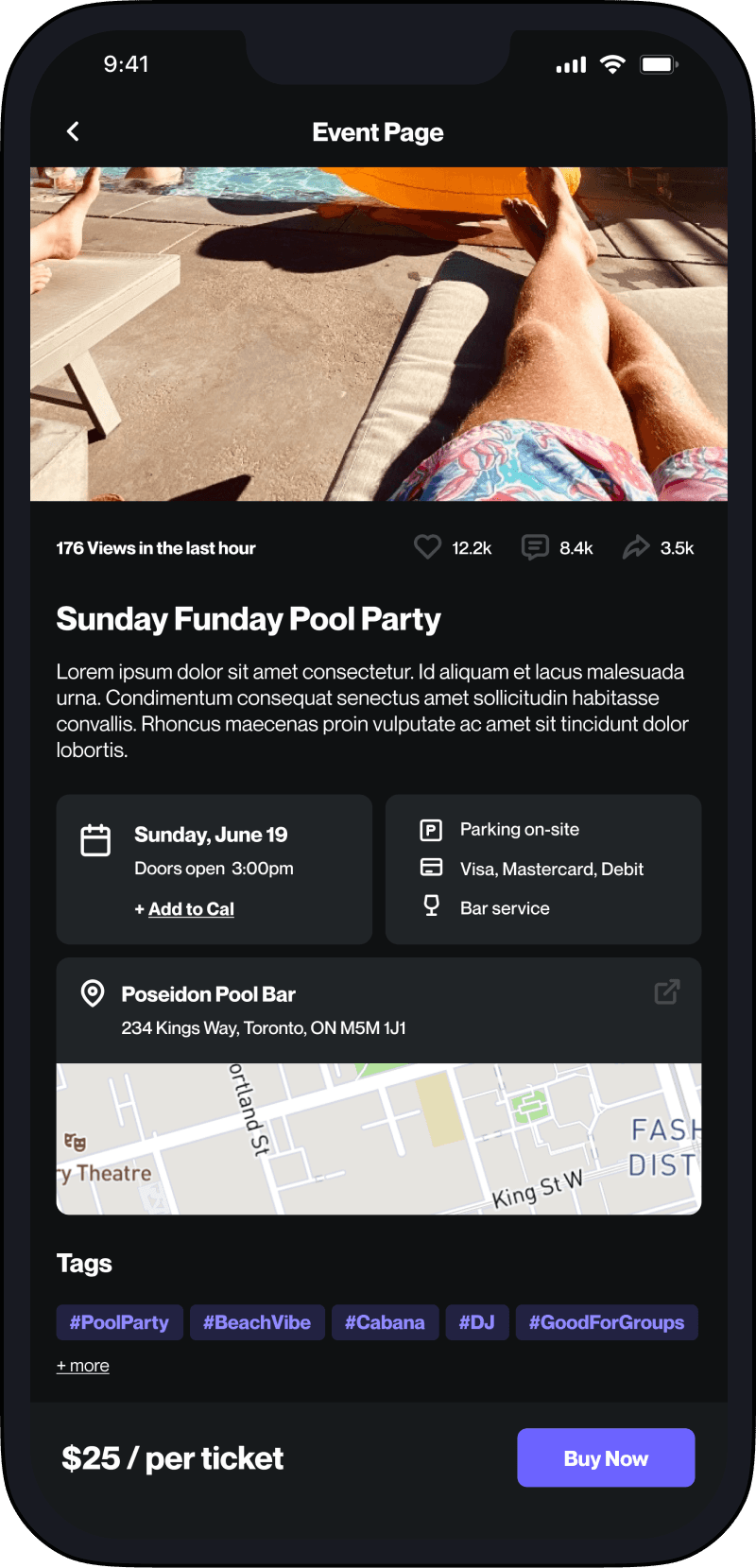

Check out the story below.


Research
User Interviews
First things first, what are users saying?
Starting with User Research, I conducted 4 face-to-face user interviews, with participants aged 21-30. The questions were mostly open-ended so that I could capture any additional data points from their responses. I asked them things like:
“How do you typically discover events happening in your city?”
“What apps have you used in the past to find/book events in your city?”

All participants referenced social media as their main source for finding events. But felt that unless you knew the right people, you wouldn’t find the best events.

Budget is a major consideration when planning events with friends. Not everyone in the group is flush with cash, so they will focus on finding events that everyone can afford.

Distance played a major factor in what events people choose to go to with friends. For those living outside the city, they will skip the commute if they can.
Data Synthesis
Making sense of the data
I synthesized my findings using affinity mapping exercises to uncover similar themes, behaviours, and frustrations.

📍Location, location, location
Users want to discover events happening locally so that they don’t have to travel far or incur unnecessary expenses.
🔍 The little details matter
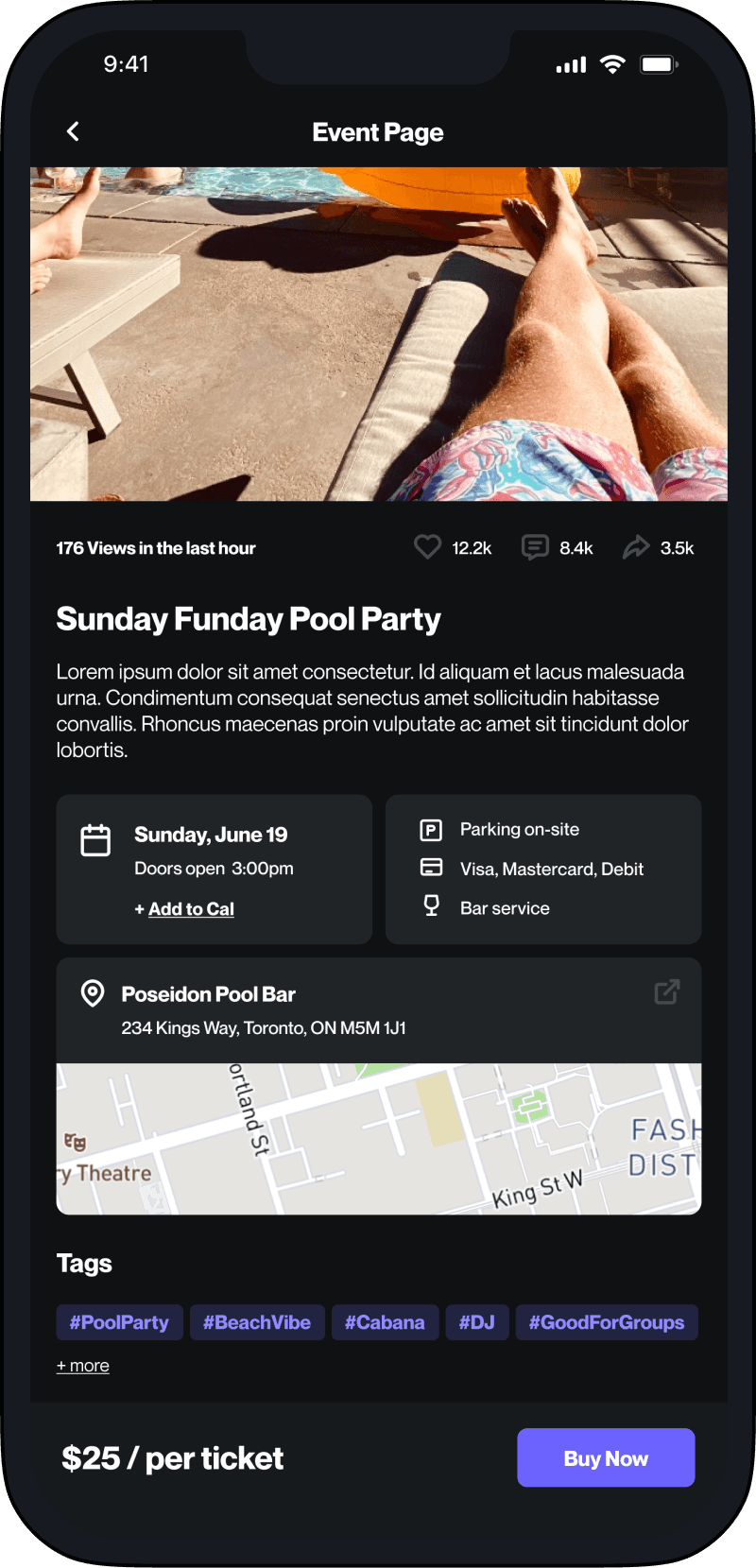
Users want to know key details about an event before committing to it; such as price, parking arrangements, etc.
🤳 See, save, and share
Similar to social media apps, Users want the ability to follow, save and share discovered events with their friend groups easily.
Defining Users
Empathy Mapping
Gaining empathy for our users
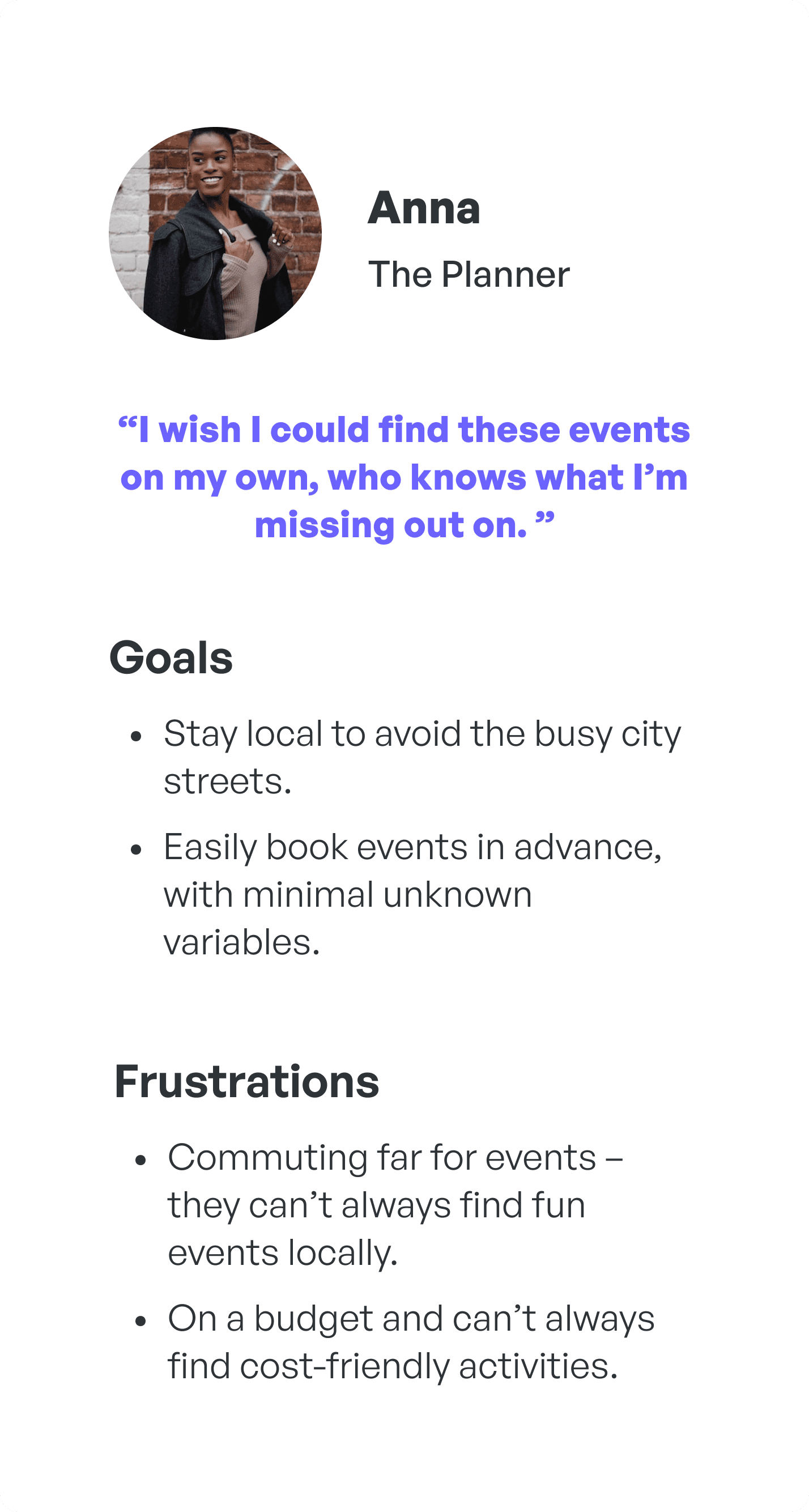
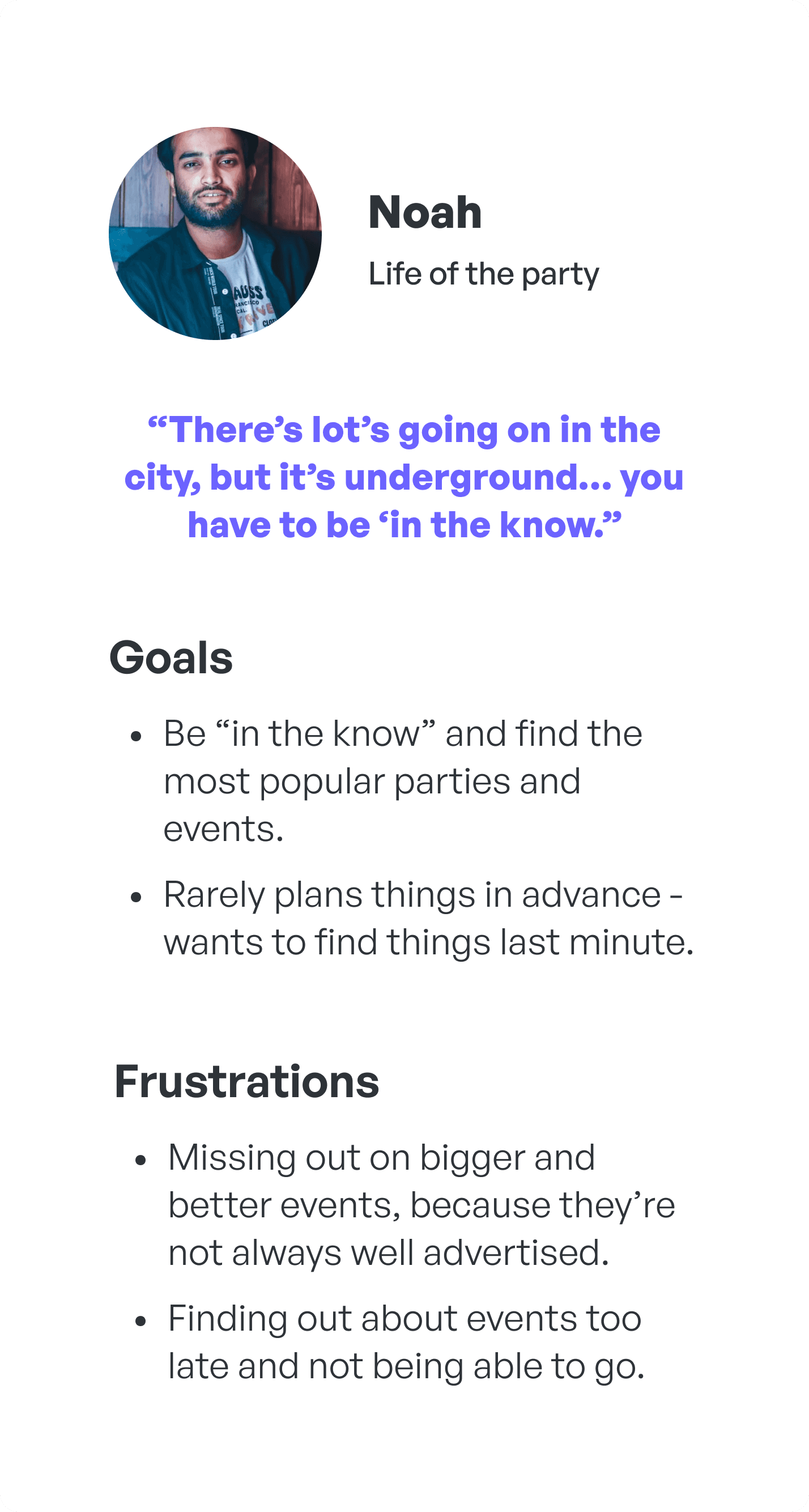
I conducted an Empathy Mapping exercise to help me empathize with the users further and gain a deeper understanding of their pain. Through this exercise, it became clear that there are at least 2 unique archetypes of young event goers.

User Personas
Putting the User at the centre
Using the two archetypes I uncovered, I was able to craft User Personas to help me frame the users wants and needs and to ensure a User Centered Design approach throughout the entire project.
Ideation
Task Flows
Mapping the user journey
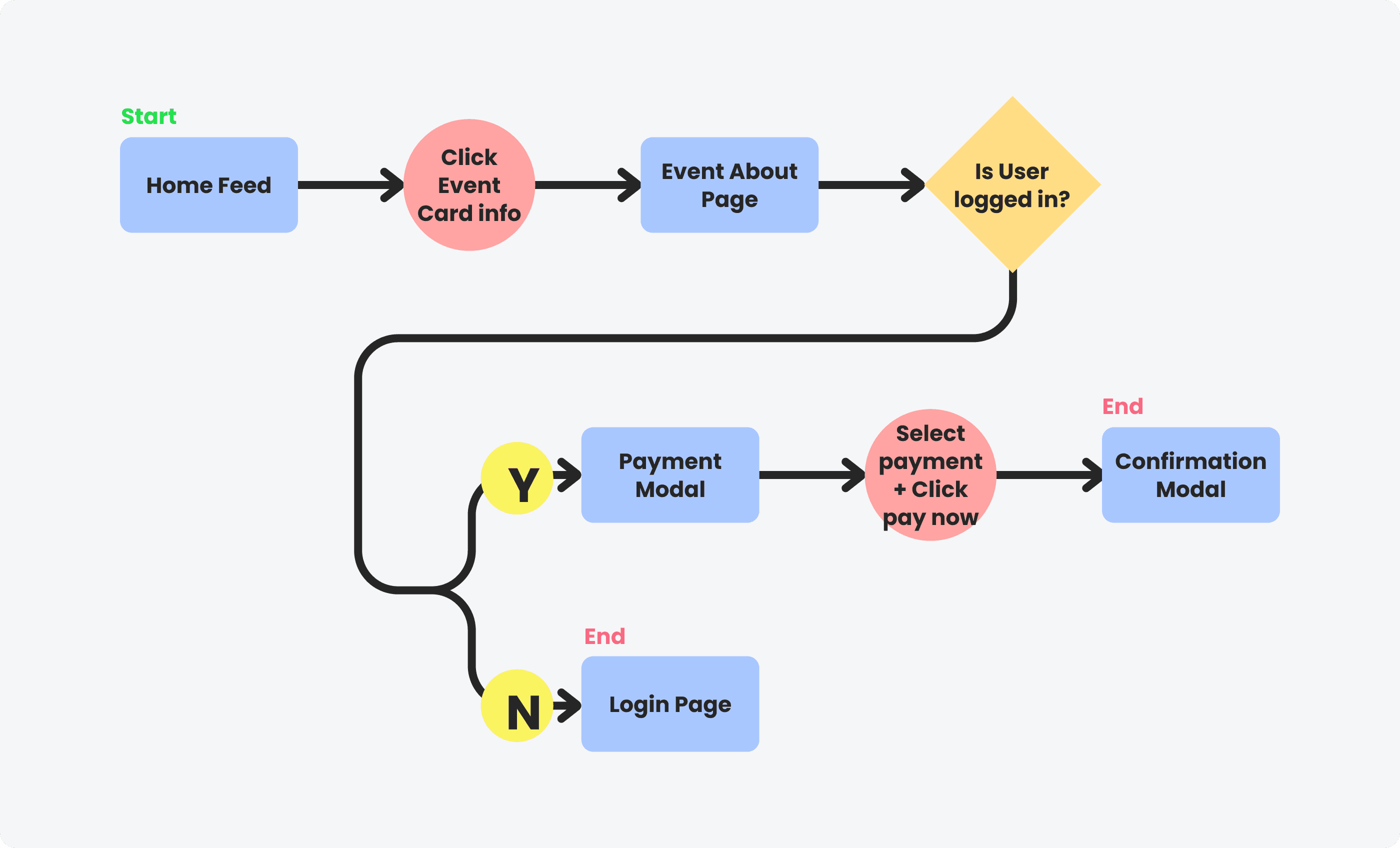
I honed in on two specific tasks that I believe are crucial to our users' workflow; Curating your Home Feed and Finding and booking an event.
Task
Curating your Home Feed.
User Scenario
As an attendee, I would like to curate my home page so that I can be presented with events that match my interests.

Task
Finding and booking an event.
User Scenario
As an attendee, I would like to book an event in the app so that I can skip the line at the door.
Information Architecture
Building the framework
Based on user research insights, I decided to utilize a similar information hierarchy, found in social media apps, that is familiar and popular amongst users.

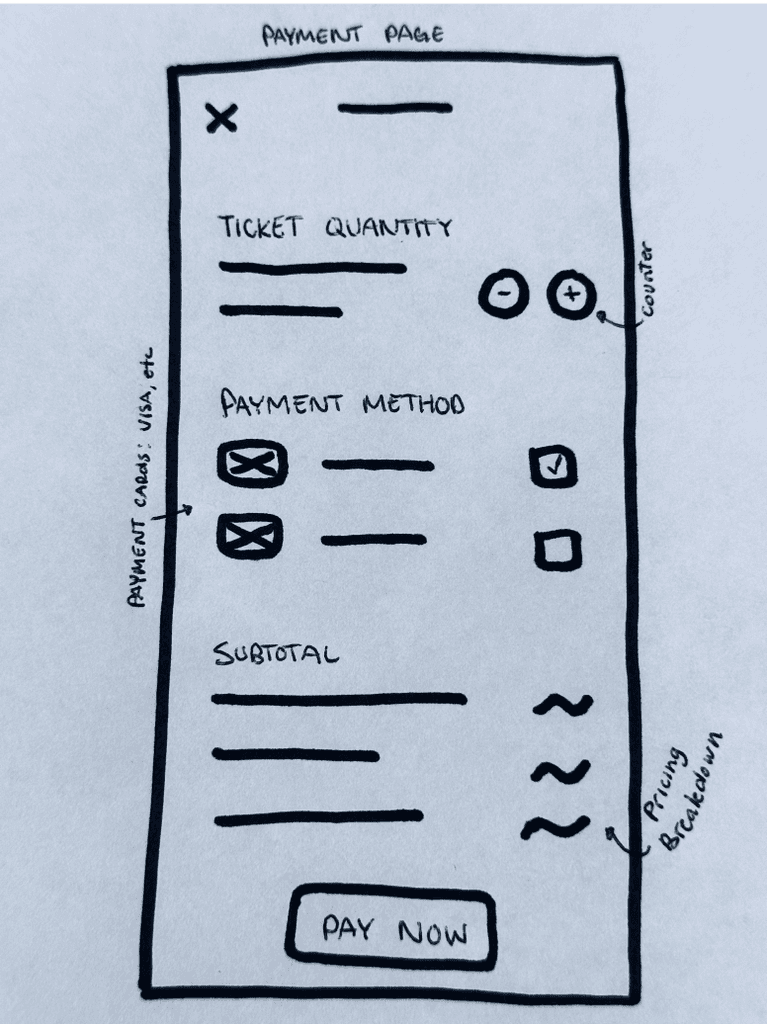
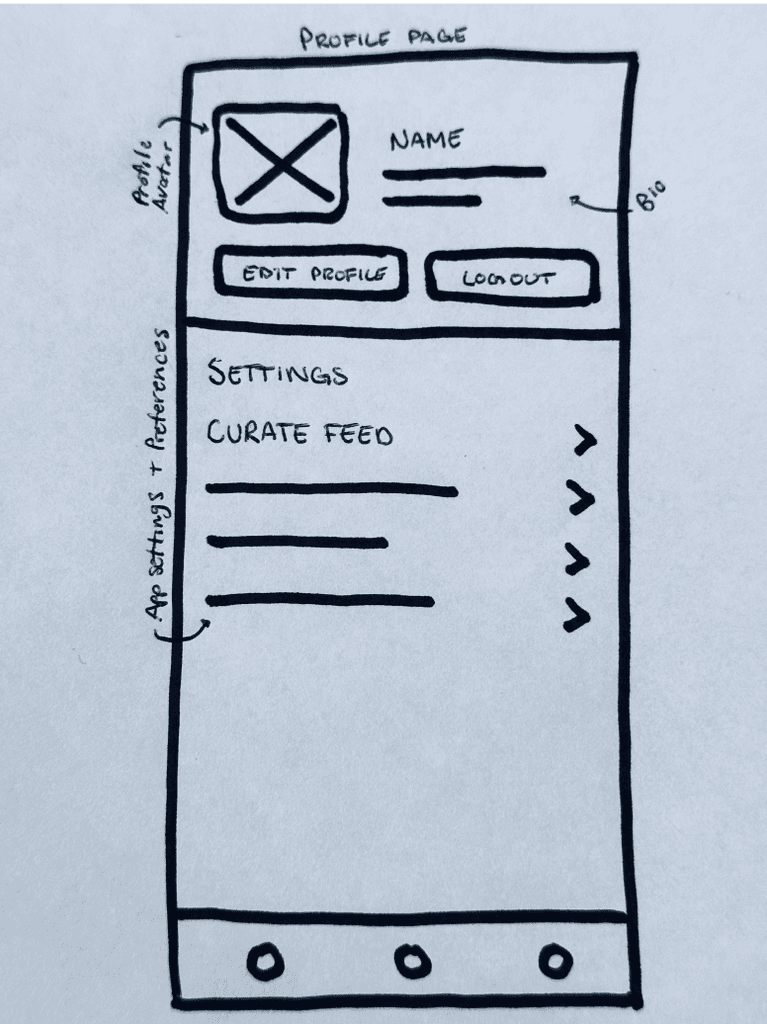
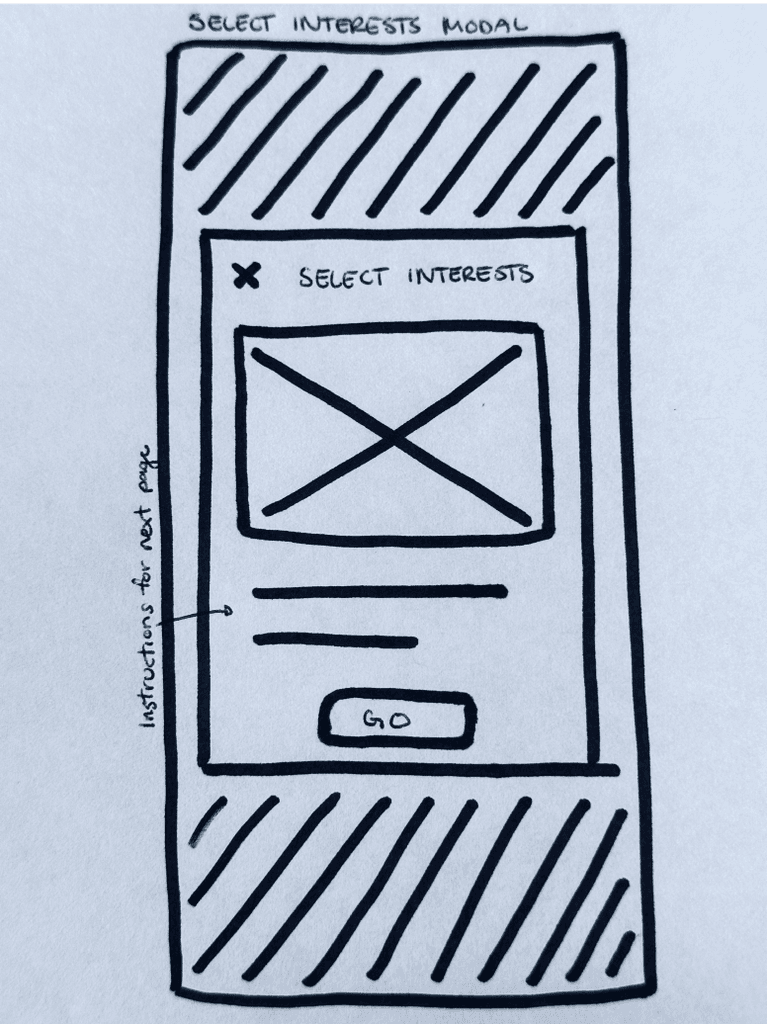
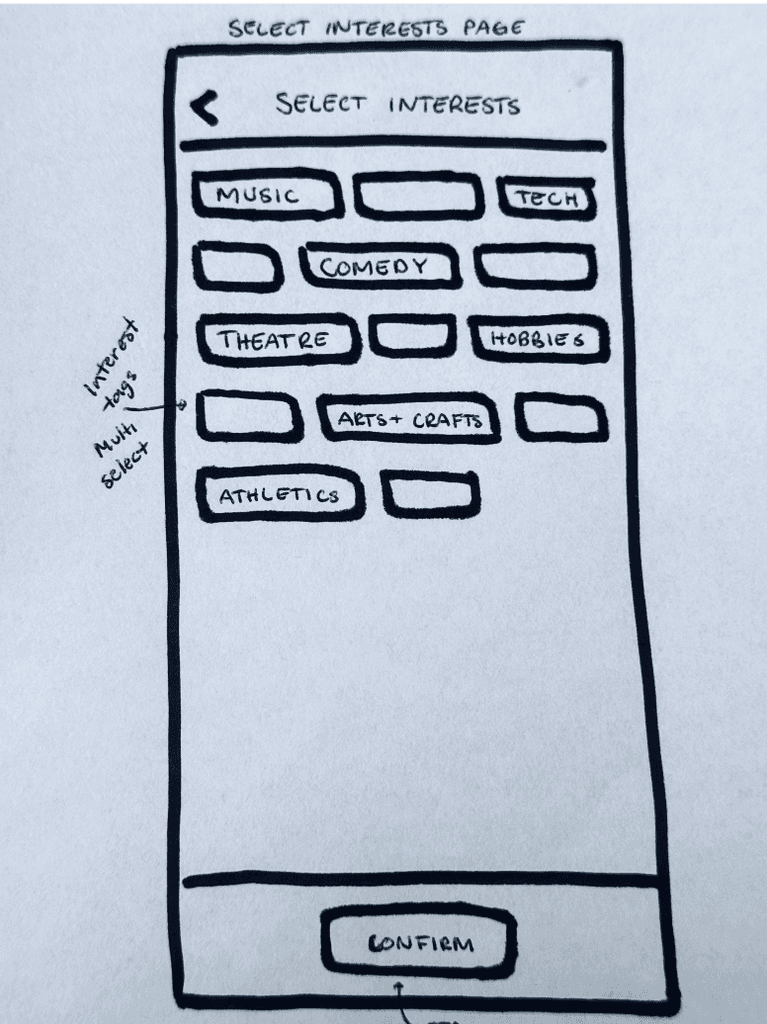
sketches
Putting pen to paper
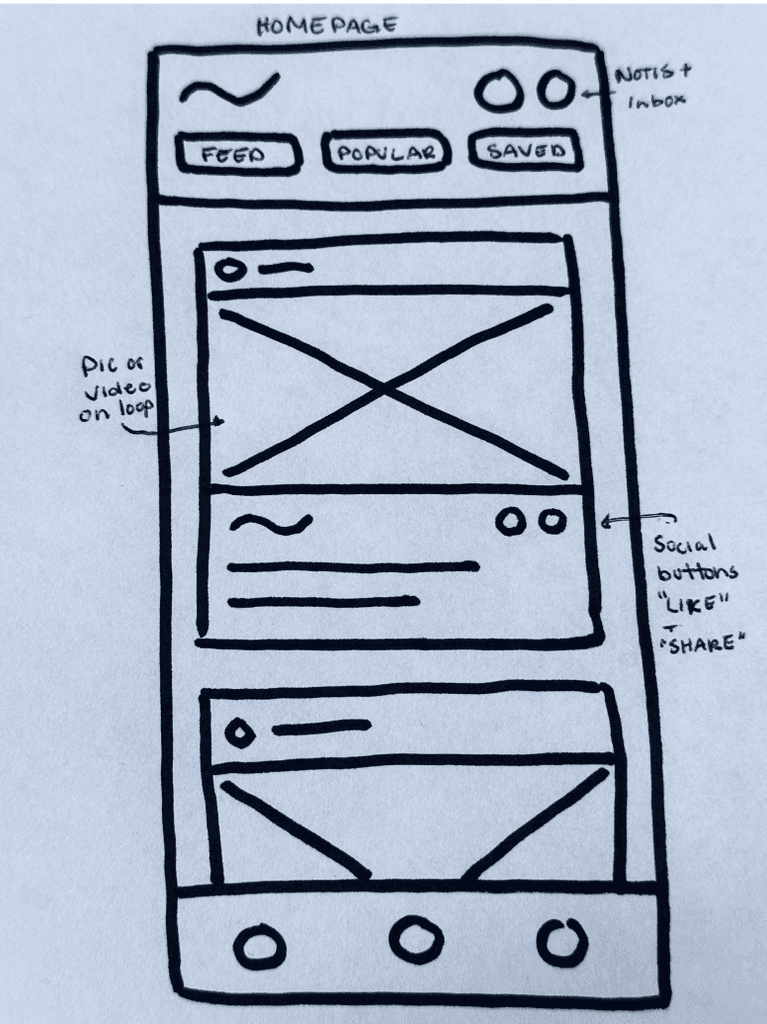
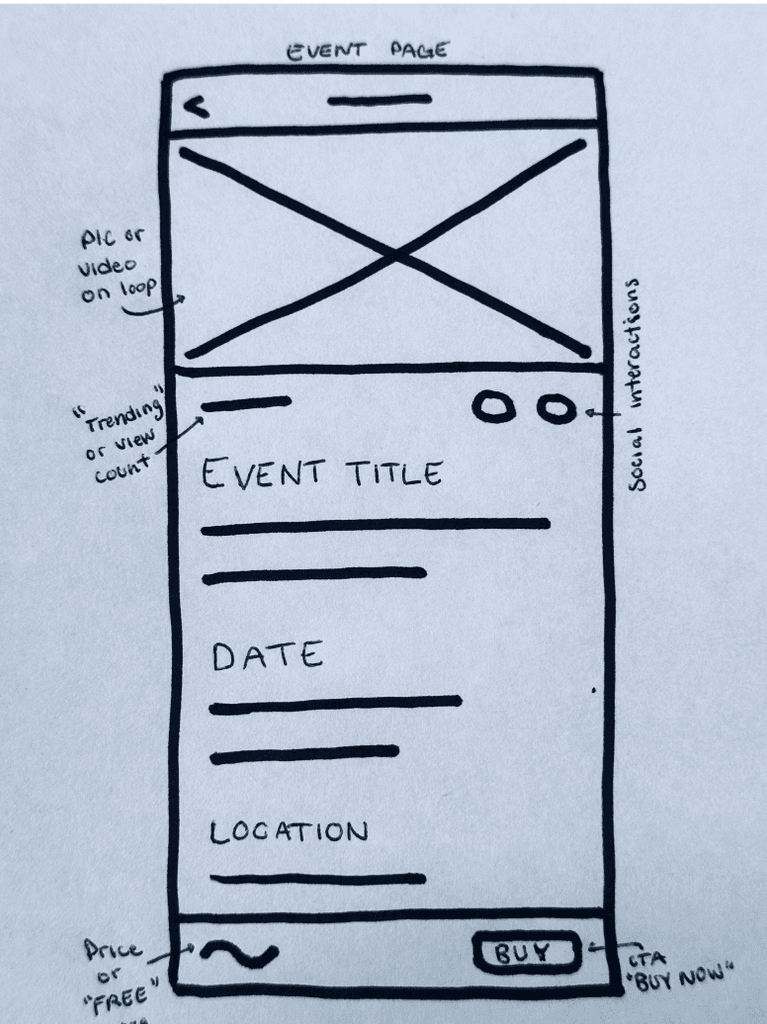
During this phase, I explore the widest range of ideas and concepts. I started with rough sketching and going through various sketching exercises generate ideas.
Wireframes
Wireframing
Mid-fi prototype for usability testing
From my initial concepts, I started to translate my sketches into wireframes. This enabled me to test the usability of the app with users and identify any potential issues. I created a prototype using mid-fi wireframes and tested each task flow with 5 participants.
Key Findings
Booking an Event
All 5 Users initially missed the “Read More” button (1.1) and got stalled -- thinking it expanded the text section, rather than navigating to a new page.
Users liked the event page (1.2) but felt it could use more information on the event and how other people are interacting with it.
Connectivity to other apps, such as calendars, maps, etc, was a frequent topic during testing. Users who plan events with their large group of friends want the ability to mark dates in their mobile calendar and save tickets to wallet.

Key findings
Curate your Home Feed
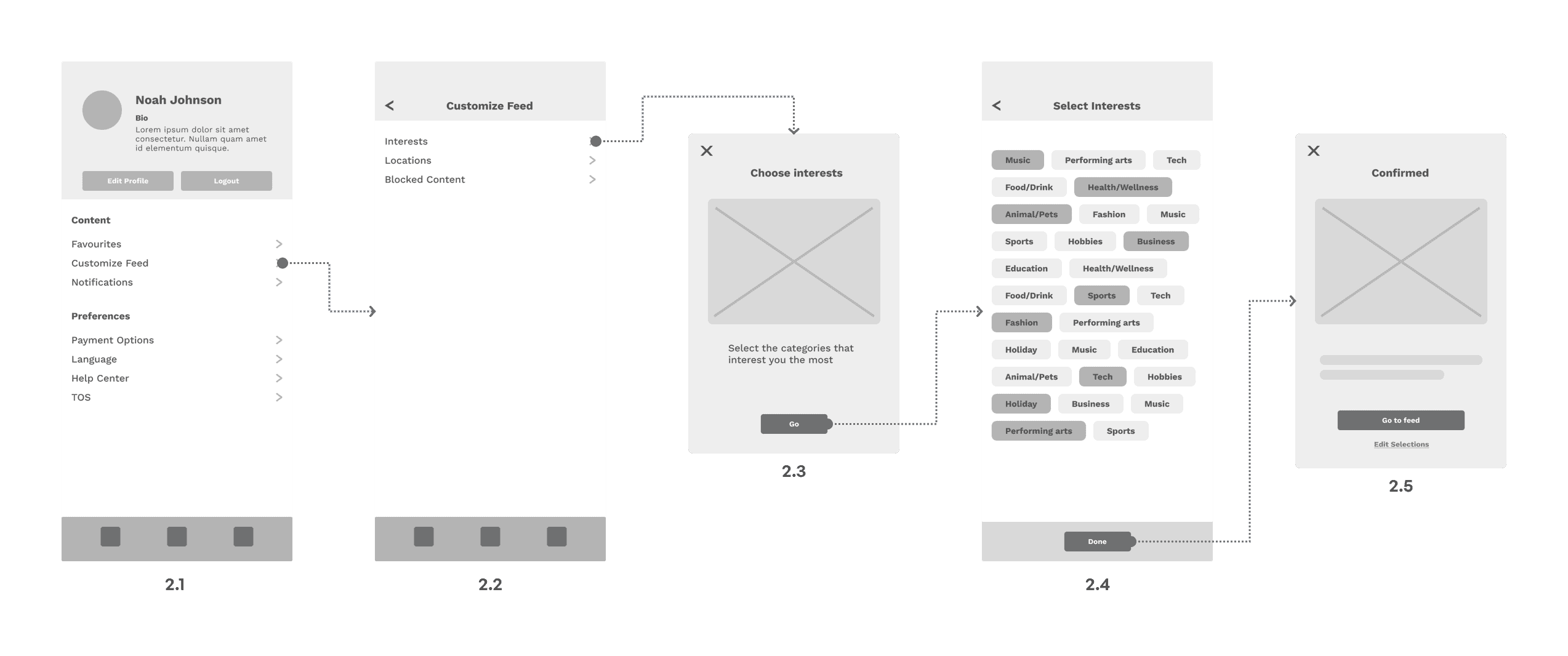
Users were confused with the initial stages of this task flow, between pages 2.1 - 2.3. Users didn't know which link they should click on to 'curate their feed' and admitted that some additional prompts would be helpful. This led to a complete overhaul of this flow, to be a more guided experience.
3/5 Users tried to swipe horizontally on the Select Interests page (2.4), thinking the content continued off the page to the right.
Style Guide
Typography
Neue Montreal
Sans serif font
Header 1
Neue Montreal / Bold - 25px
Header 2
Neue Montreal / Bold - 20px
Header 3
Neue Montreal / Bold - 16px
Subheader
Neue Montreal / Bold - 13px
Button
Neue Montreal / Bold - 13px
Body
Neue Montreal / Regular - 13px
Body small
Neue Montreal / Regular - 11px
Caption
Neue Montreal / Bold - 11px
Colours
#6C63FF
Primary/Brand
#FDFDFD
Text
#0F1112
App Background
#202427
Card/Modal
#43494E
Button/Icon
Icons


Final Design
Flow
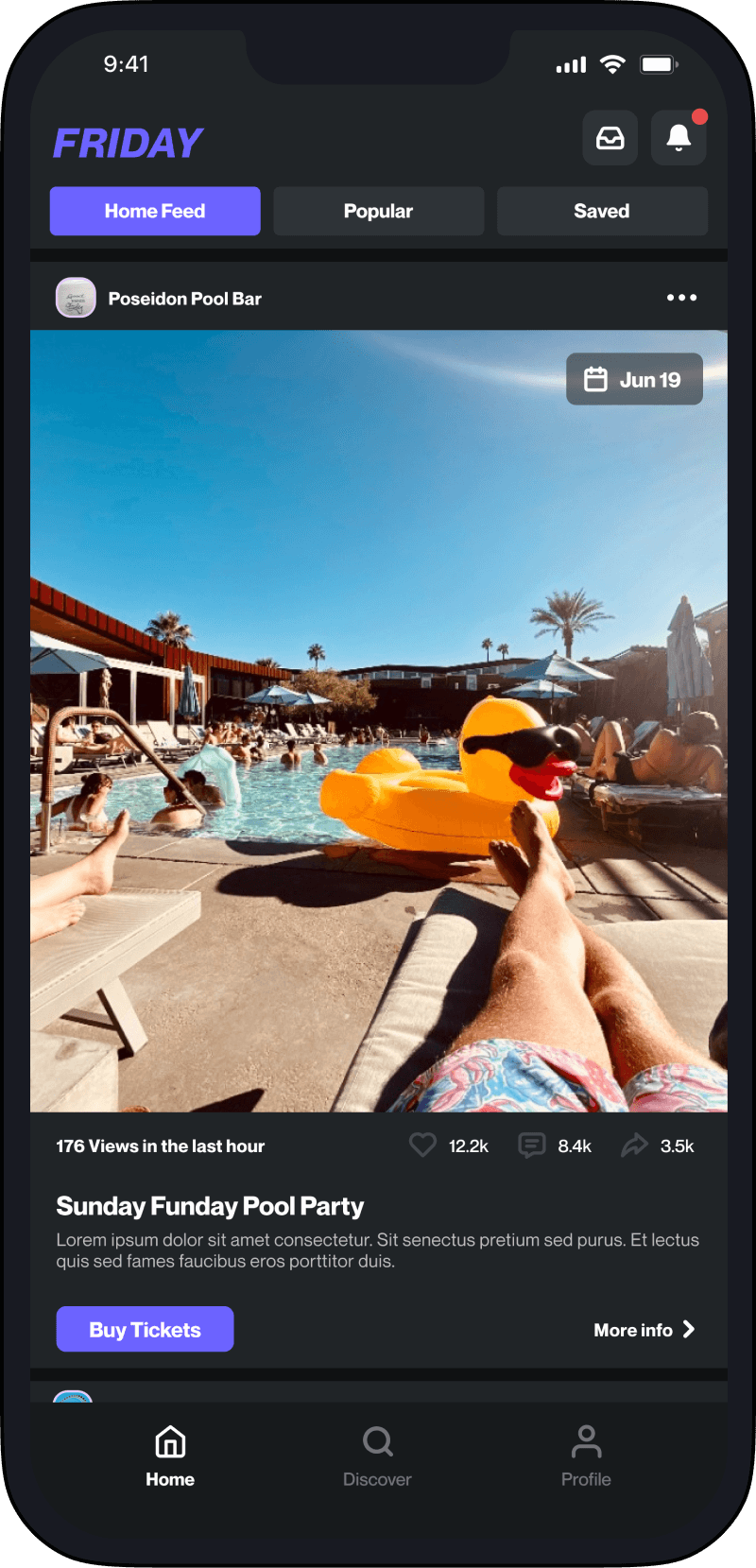
Discover events nearby and book tickets for you and a friend
The Home Feed will display events within a defined location, based on User interests, previous search history, like/share activity, and other user behaviours.
Flow
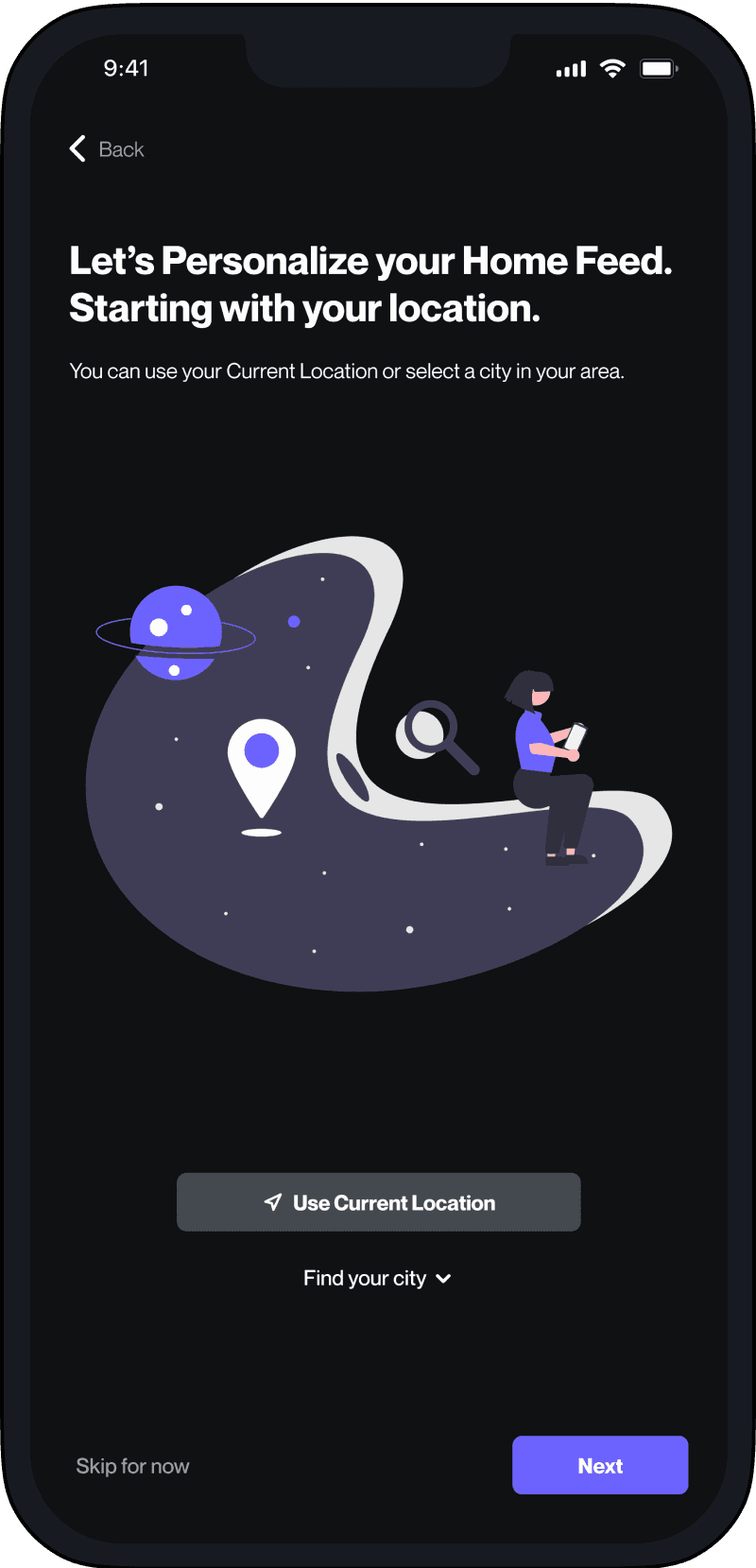
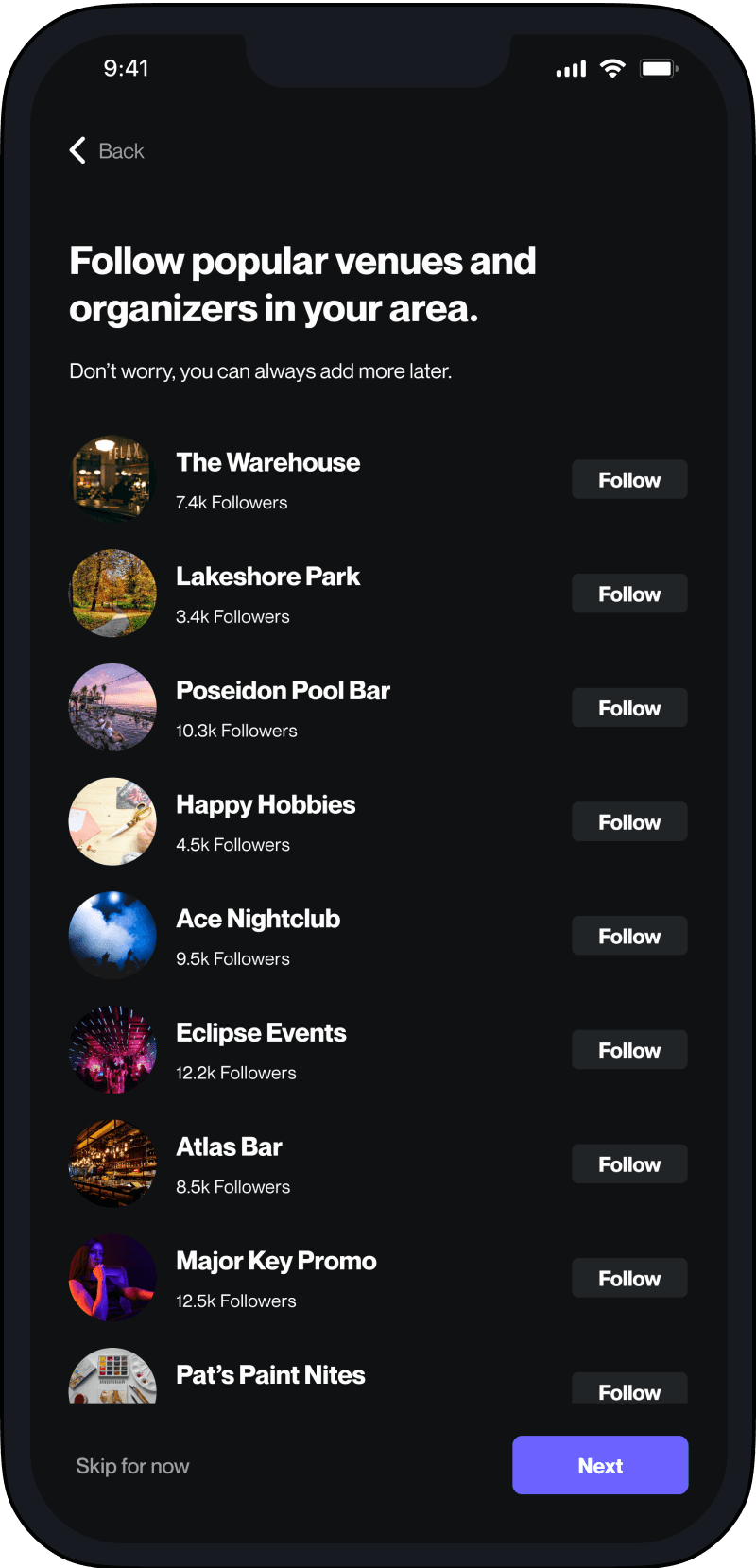
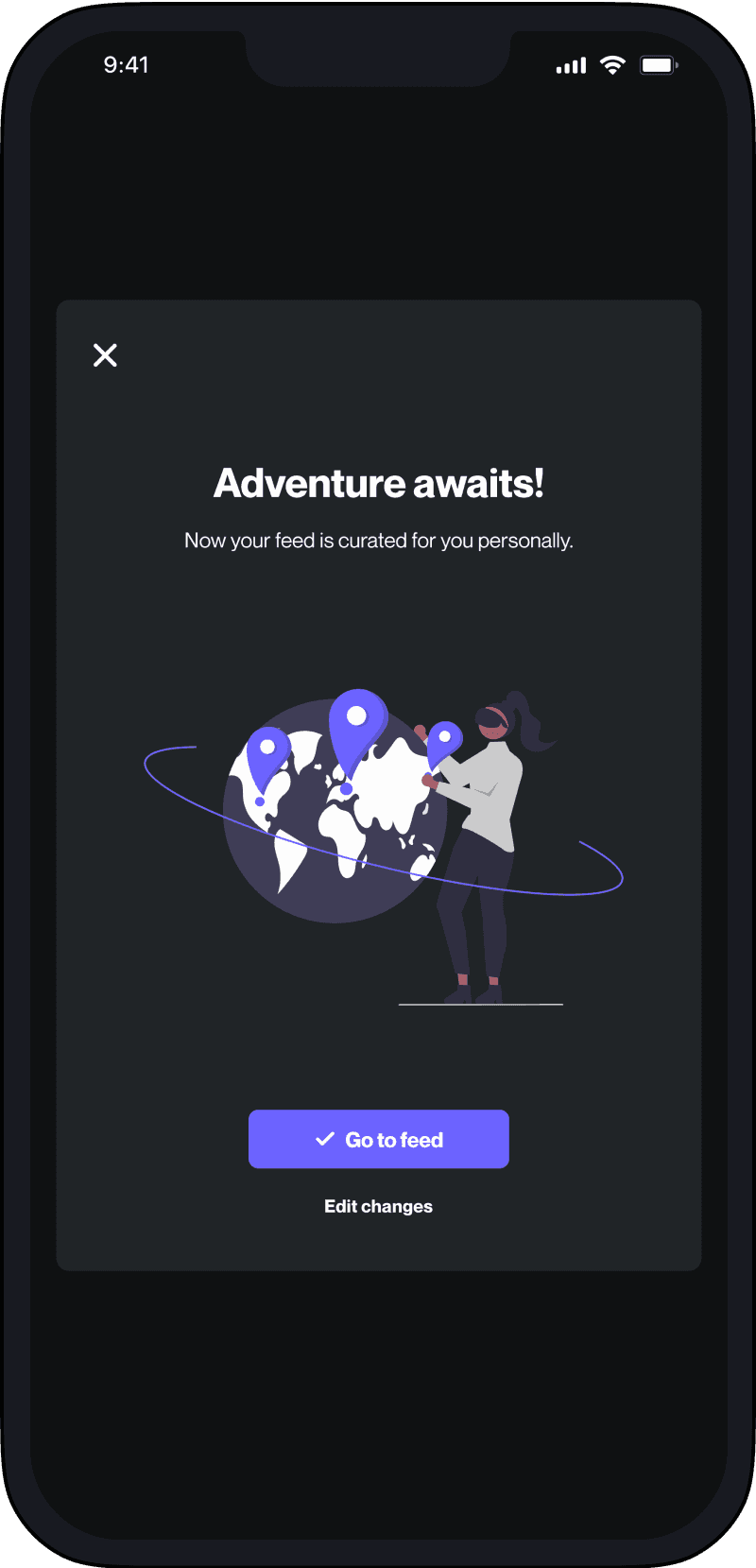
Curate your Home Feed for a personalized experience
Users will have the ability to curate their Home Feed and tell the app exactly what kind of events they want to see.





Conclusion
Outcome
Solid foundation for the future
This case study captured the journey of my final project for Brainstation's UX Design Course. My goal in this course was to learn the entire UX design process from the ground up— and while I mastered UX design principles I also honed my UI skills, earning praise from our instructor. Successfully completing the course and earning a UX Design certificate from Brainstation solidified my passion for UX and UI design, motivating me to pursue a fulfilling career as a UX Designer.
Lessons learned
The design process is iterative
Initially, I approached design with the belief that it followed a linear path—from problem to discovery to solution. However, as I progressed through the design stages, I realized it wasn't this straightforward. Through the course of this project, I found myself constantly revisiting research notes, delving back into user interviews and mapping exercises, and even scrapping entire ideas altogether.
It was a valuable lesson in the iterative nature of design, where the ultimate focus lies in solving user problems rather than just creating visually appealing elements. Embracing this revelation, I did encounter moments of uncertainty, but through continuous feedback and my new iterative approach, I was able to arrive at a final solution that resonated with users.
looking ahead
Adding more value
For this project: I would expand my research into friend groups and how they might interact with this app together. From user research I learned that most users are seeking events that they can attend with friends. So I would start to explore group focused features to enable users to interact with their friends in the app.
For me: I’m continuing to deepen my understanding of UX design principles and sharpening my UI design skills as I take on new projects and embrace new design challenges. As an entrepreneur at heart, I constantly find myself in the mix of new startups looking to take a crazy idea from napkin to launch.
Check out this next project
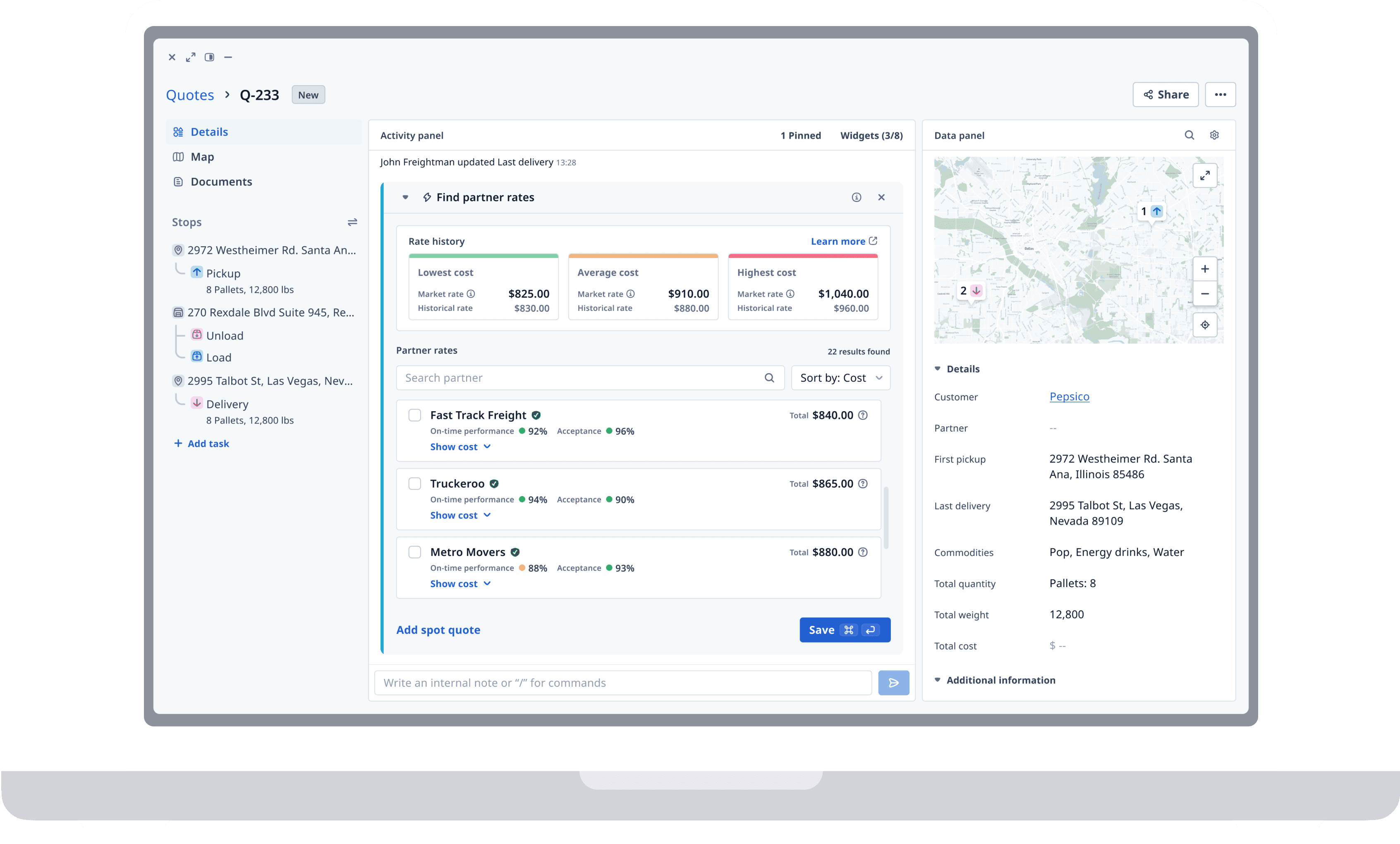
UX design - Product Redesign
Helping freight brokers quote trips faster
Creating a widget that enables trucking companies to calculate quotes in seconds.
Let’s connect
Get in touch for opportunities or just to say hi! 👋