Product design - New Feature
Creating a widget that enables trucking companies to calculate quotes in seconds.
Overview
During my time on Rose Rocket’s Enterprise team, we focused on helping Freight Brokers improve their operations through cloud-based solutions. Rose Rocket, a SaaS platform for trucking companies, helps businesses streamline their shipment management through automation.
As a Product Designer, I worked on designing features that enable Freight Brokers to optimize their processes. For context, Freight Brokers act as intermediaries, connecting Shippers with Carriers (trucking companies) to facilitate the movement of freight. One of our primary goals was improving the quoting process—a critical step for most brokerage businesses that often serves as a bottleneck to increased revenue. This case study explores how we enabled Freight Brokers to generate quotes faster and secure more orders.
My Role
Complete product design from user research to conception; visual design, prototyping and testing.
What’s the Problem?
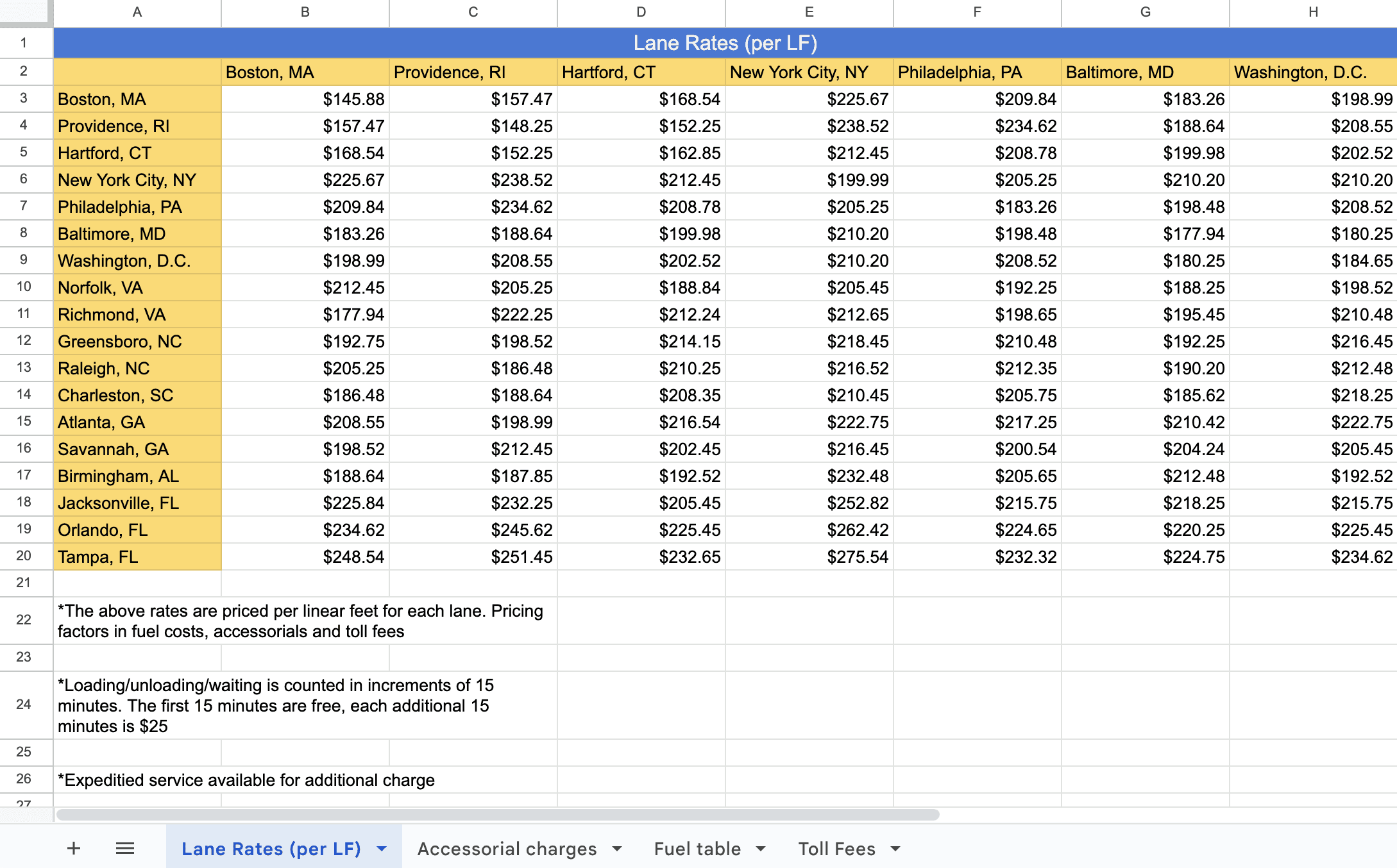
Today, users have to do manual calculations and reference multiple data sheets in order to quote a prospective customer. This is a problem because this process is time-consuming and prone to human error—often leading to inaccurate quotes and lost revenue opportunities.
How might we enable users to quote orders faster and win more loads.
So, what’s the solution?
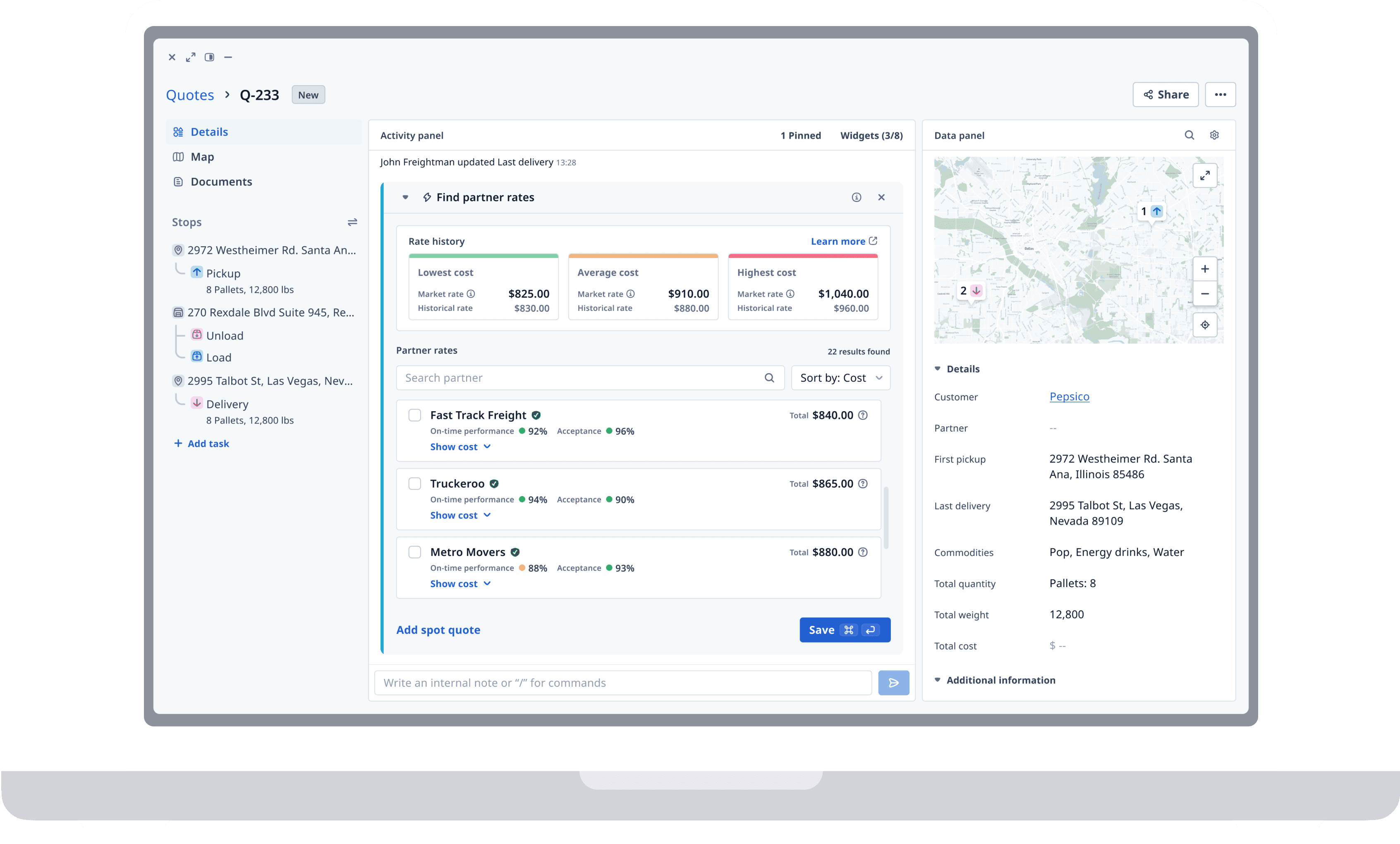
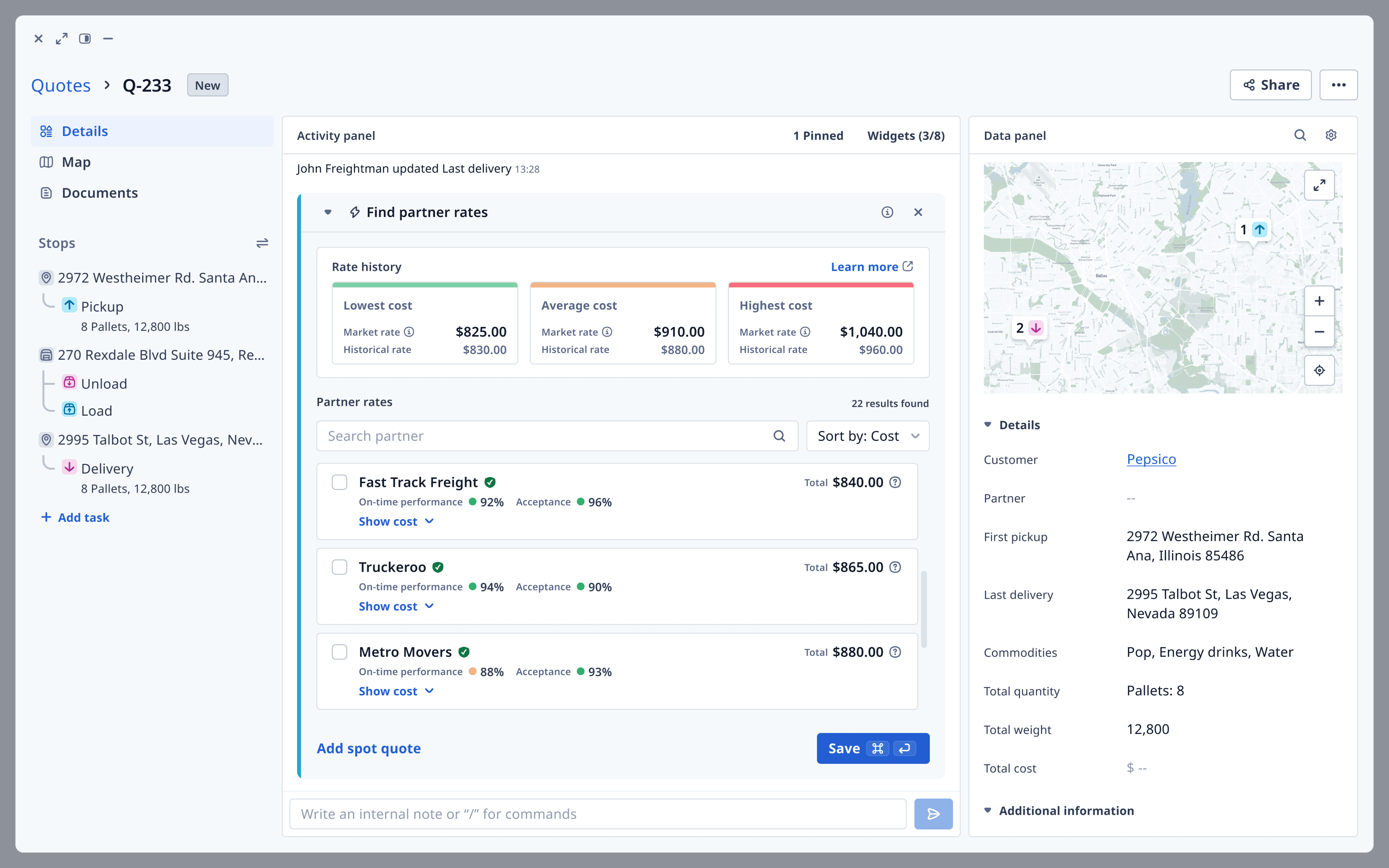
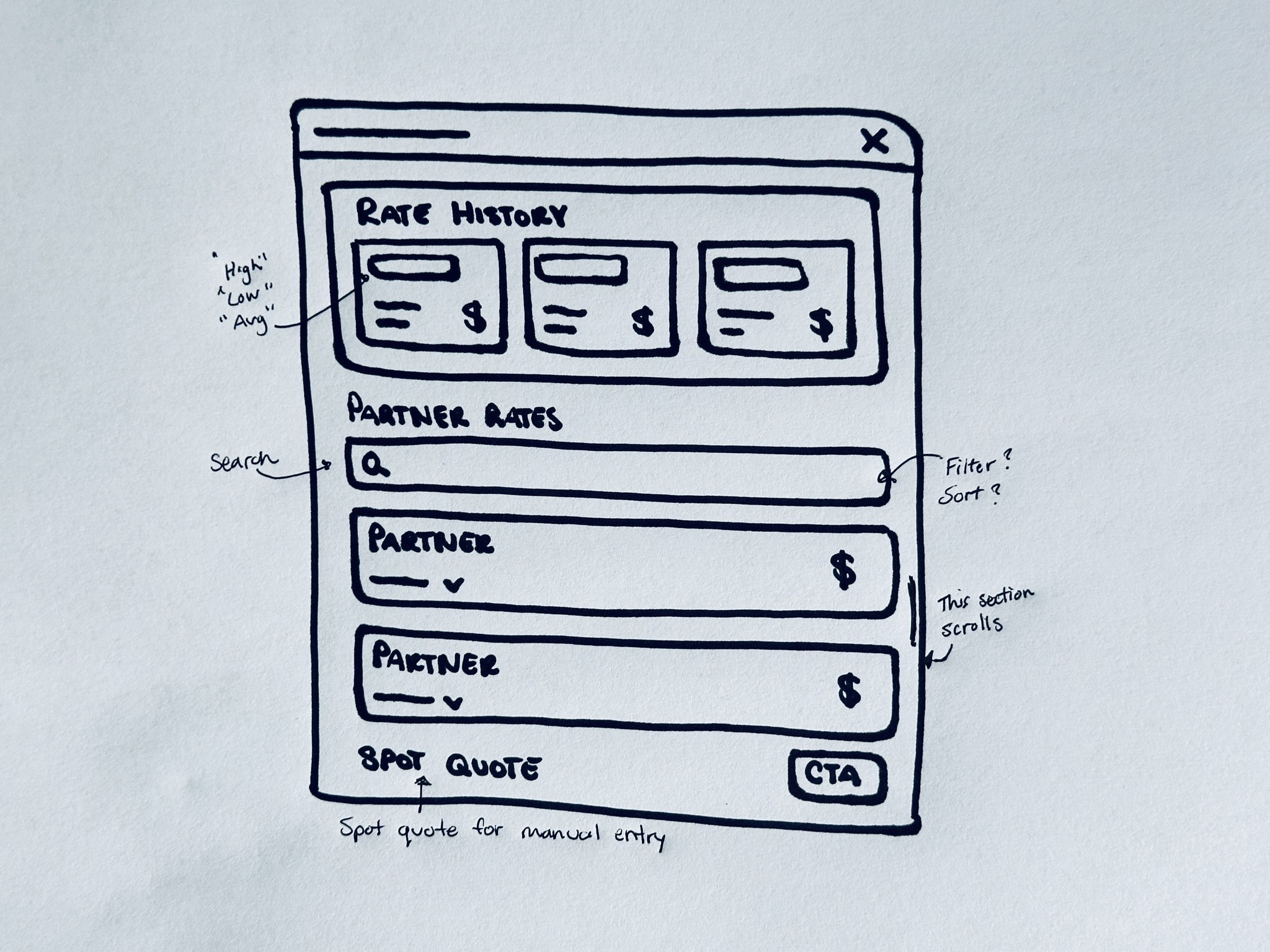
Our solution is a widget that allows users to quickly find rates for a customer order based on their contracted rates with Partner Carriers (trucking companies). Powered by the Rating Engine—a built-in rate calculator—the widget calculates shipment costs using trip distance and freight dimensions.
To help brokers make more informed decisions, it also provides embedded insights such as previous rate history and market data, showing what similar orders have sold for in the past.
or

Research
Research campaign
What did users tell us?
Working closely with my product manager, we carried out a research and discovery initiative that involved conducting two user interviews, listening to sales and customer success calls, and analyzing user feedback from our CRM.
Our findings revealed that the current process for quoting customers is outdated and involves numerous manual steps. Users typically depend on large pricing spreadsheets, which require manual calculations and are prone to human error. Moreover, the process is time-consuming, often resulting in lost orders to quicker competitors.
User persona
Framing our users
By gathering insights from multiple users, we were able to develop a typical persona of a Freight Broker. Gaining a deep understanding of their goals, motivations, and frustrations was crucial in helping us integrate key product features into their workflow.

Greg
Freight Broker
"Can we put in a bunch of data, kinda like a RFQ generator... and then it spits out the best rate"
Goals
Speed up the quoting process, with the use of technology, to win more loads!
Make data-driven decisions to increase revenue and commissions.
Frustrations
Having a really manual process that is time-consuming and prone to human error.
Losing out on revenue by not capturing all costs accurately.
MApping Exercises
Synthesizing our findings
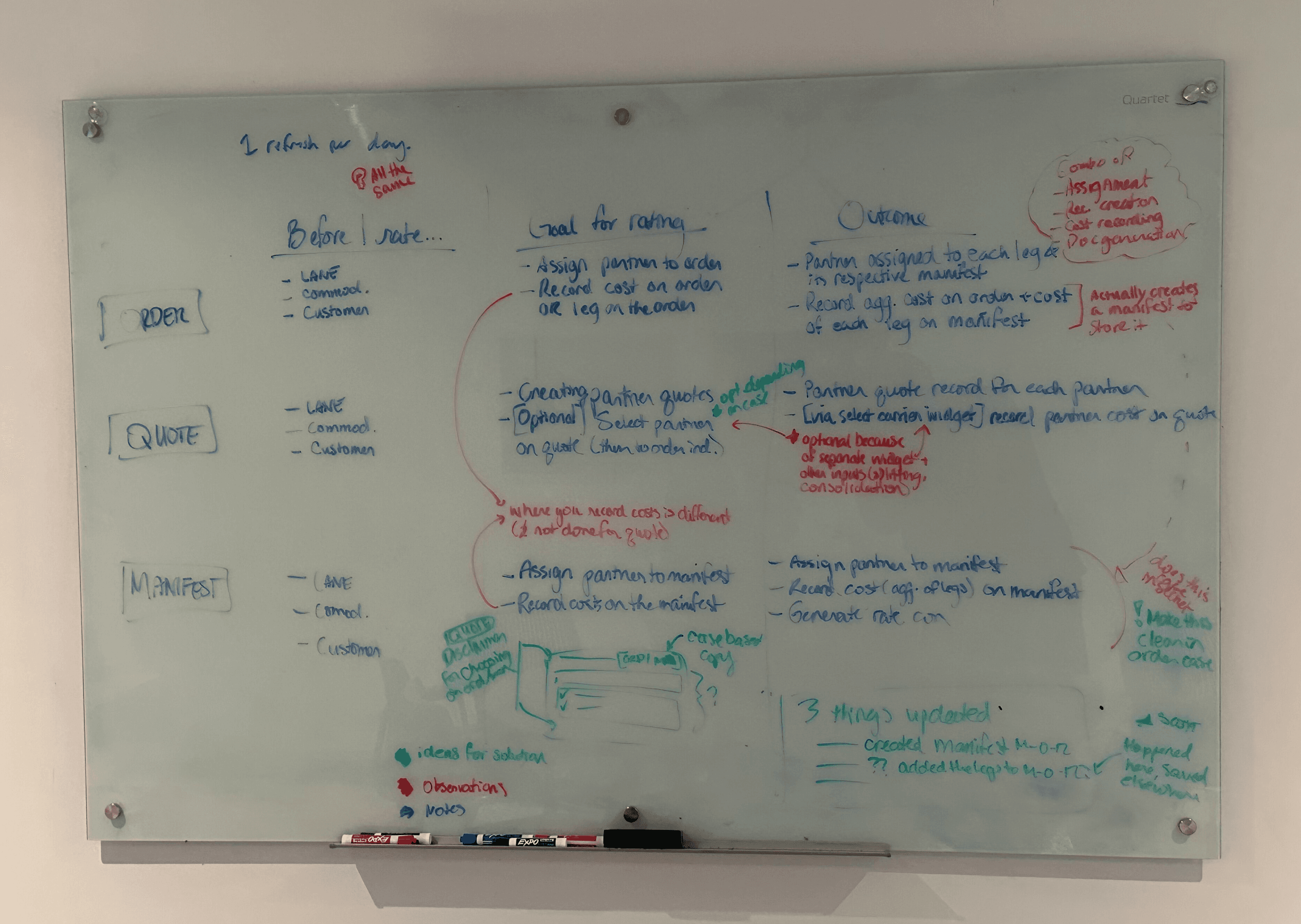
We conducted several mapping exercises like this to help us synthesize our insights and design a user-friendly workflow. This step was essential for us to understand how these businesses build their quotes—and how Rose Rocket can effectively replicate that process.
⚡️️️️️ Key Insights
Through all of our discovery initiatives, we identified these 2 key insights that stood out the most:
⏳ Current process is manual & time-consuming
Multiple reference sheets and manual calculations often lead to human error and lost revenue.
📈 More data = better decision making
More insights available at the time of decision making, can help users make better decisions and maximize revenue.
Ideation
Sketches
Putting pen to paper
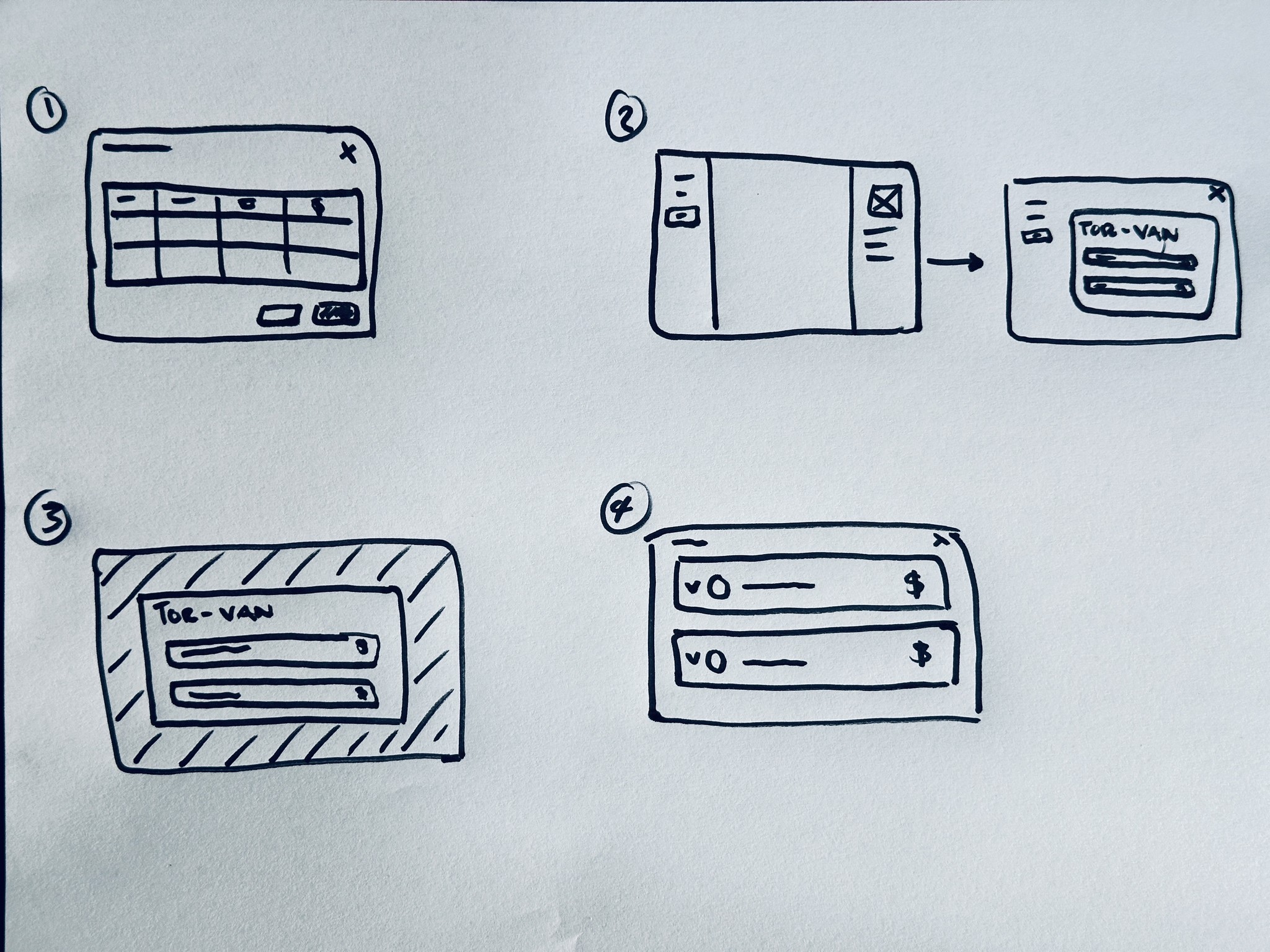
I started by sketching initial concepts in my notebook, brainstorming how the rate widget could be structured. I explored different layouts, visual elements, and navigation patterns to ensure a comprehensive experience.
User Flow
Mapping the user journey
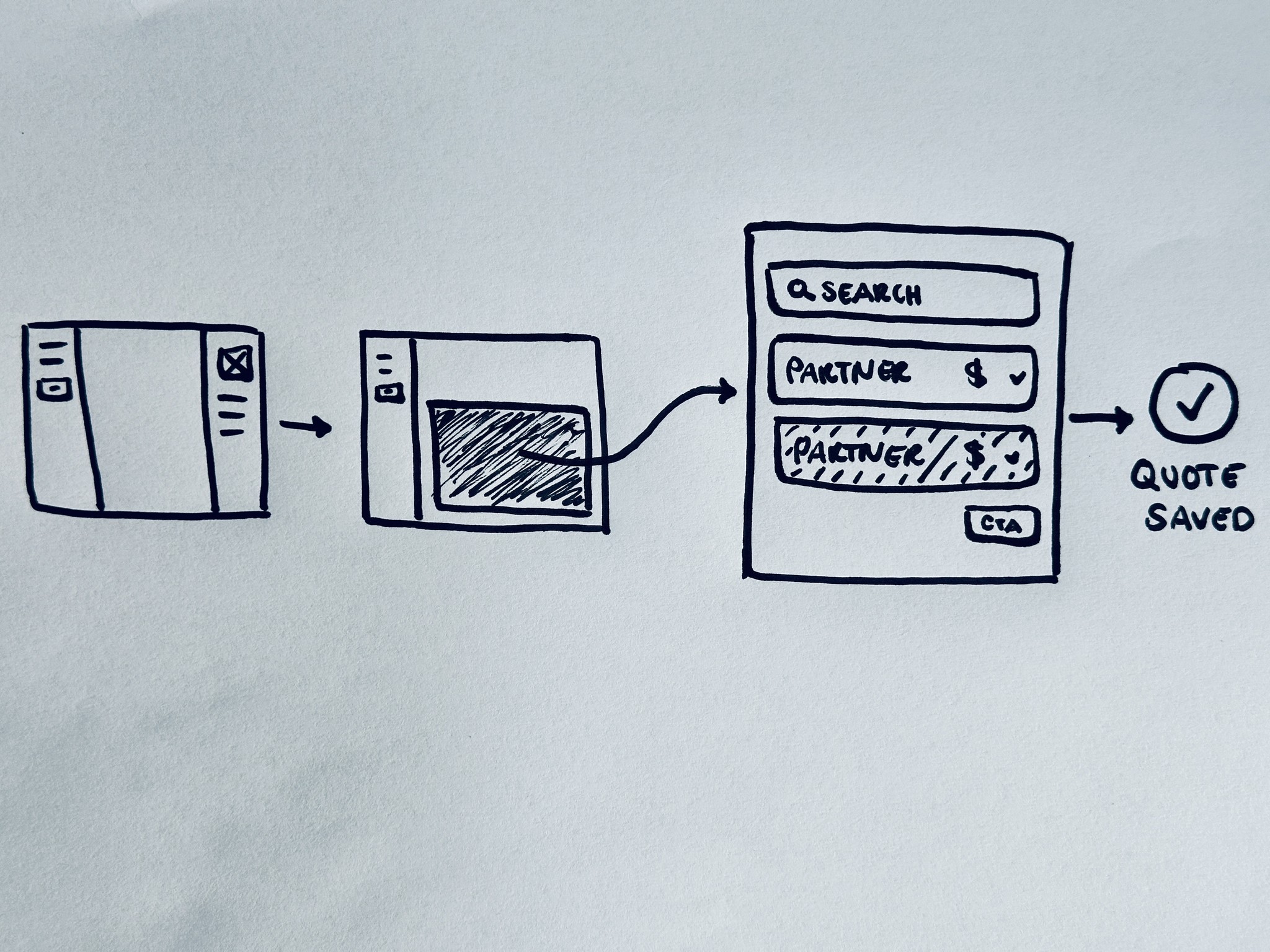
Creating a user flow allowed me to map out the steps for our widget’s primary function: finding Partner rates for a shipment. After the user enters the basic trip details, the widget presents available rates using the Rating Engine—a tool that calculates trip cost based on distance and freight dimensions.
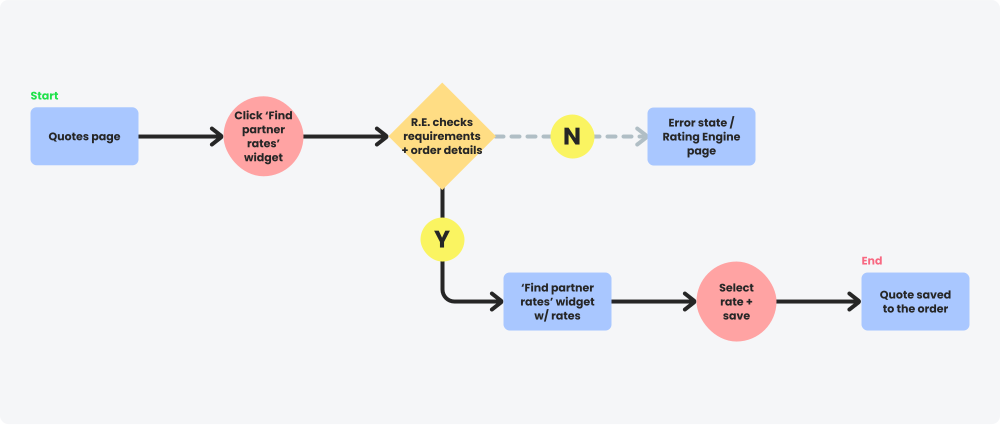
User Scenario: As a freight broker, I would like to find rates for a customers order, based on our contracted rates with trucking companies in the area.
Task: Find available rates for this order
Mid-fi Wireframing
Using mid-fi to test functionality
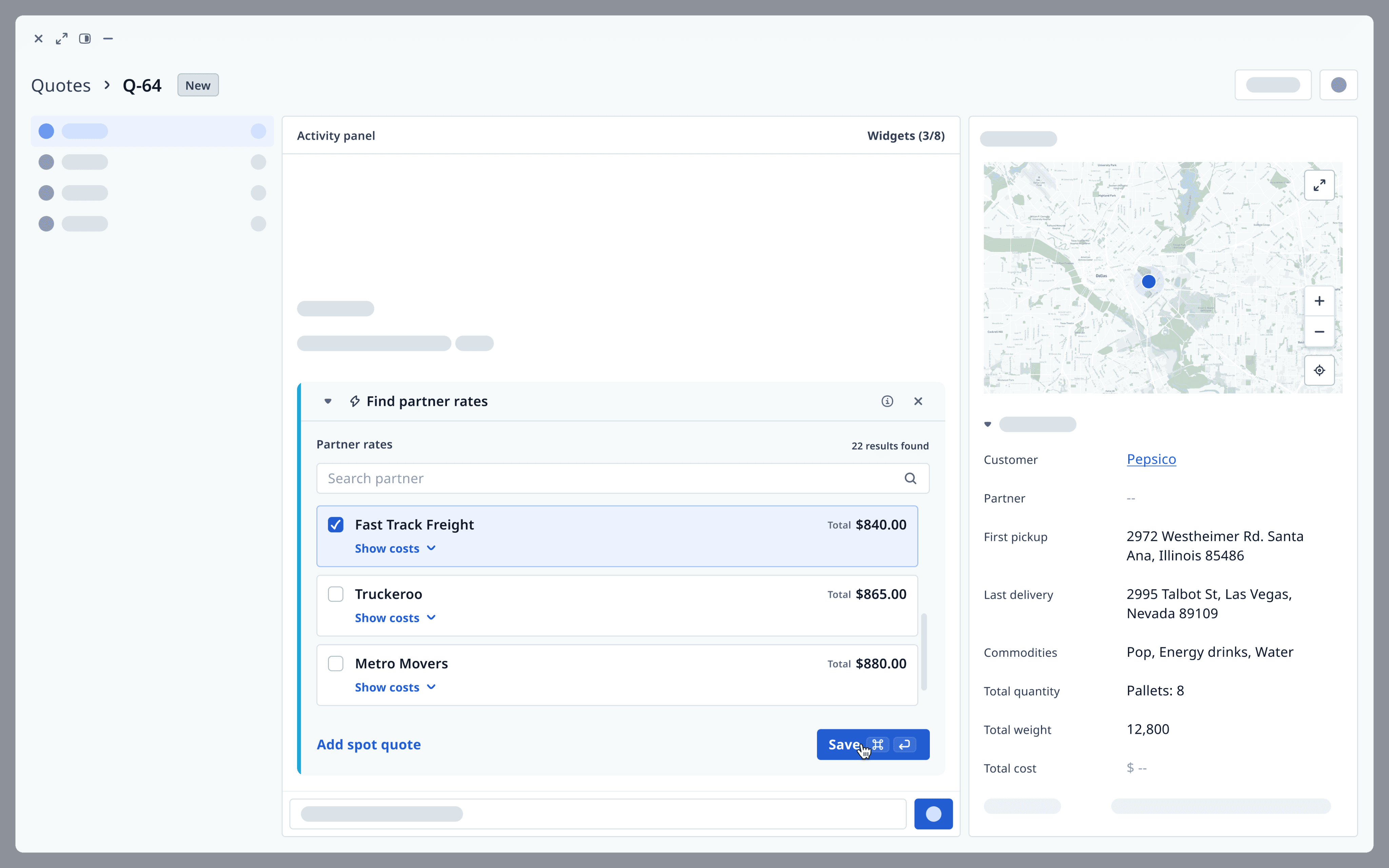
Mid-fi design allowed me to focus on layout, functionality, and user interaction without getting bogged down by visual details. This enabled quick iteration and better story-telling, helping us test our ideas and gather great feedback from stakeholders.
Design components
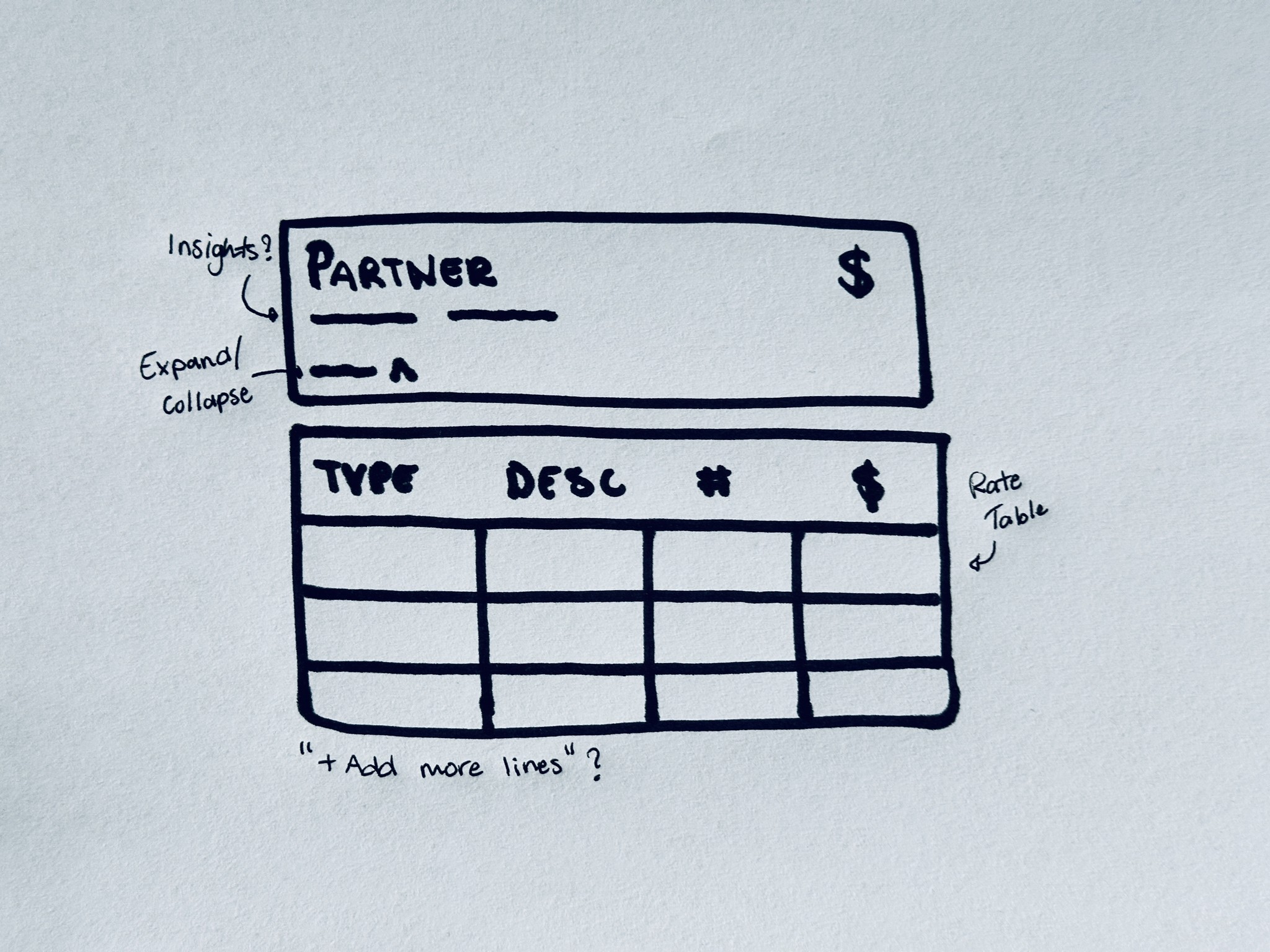
Created the Partner rate tile
The Partner rate tile was designed to present partner costs in a clear and user-friendly format. Early on, we decided to incorporate an accordion feature to display all costs and allow for real-time editing. Feedback revealed that additional service charges are often added at different stages of the quoting process, so this functionality became essential.

Design Components
Embedded insights for better decision making
Integrating insights into essential user workflows was a primary focus for our product team. Research revealed that users take key metrics, such as on-time performance and compliance, into account when selecting a partner trucking company.

These metrics are derived from user data and extracted directly from the Analytics module of the TMS.
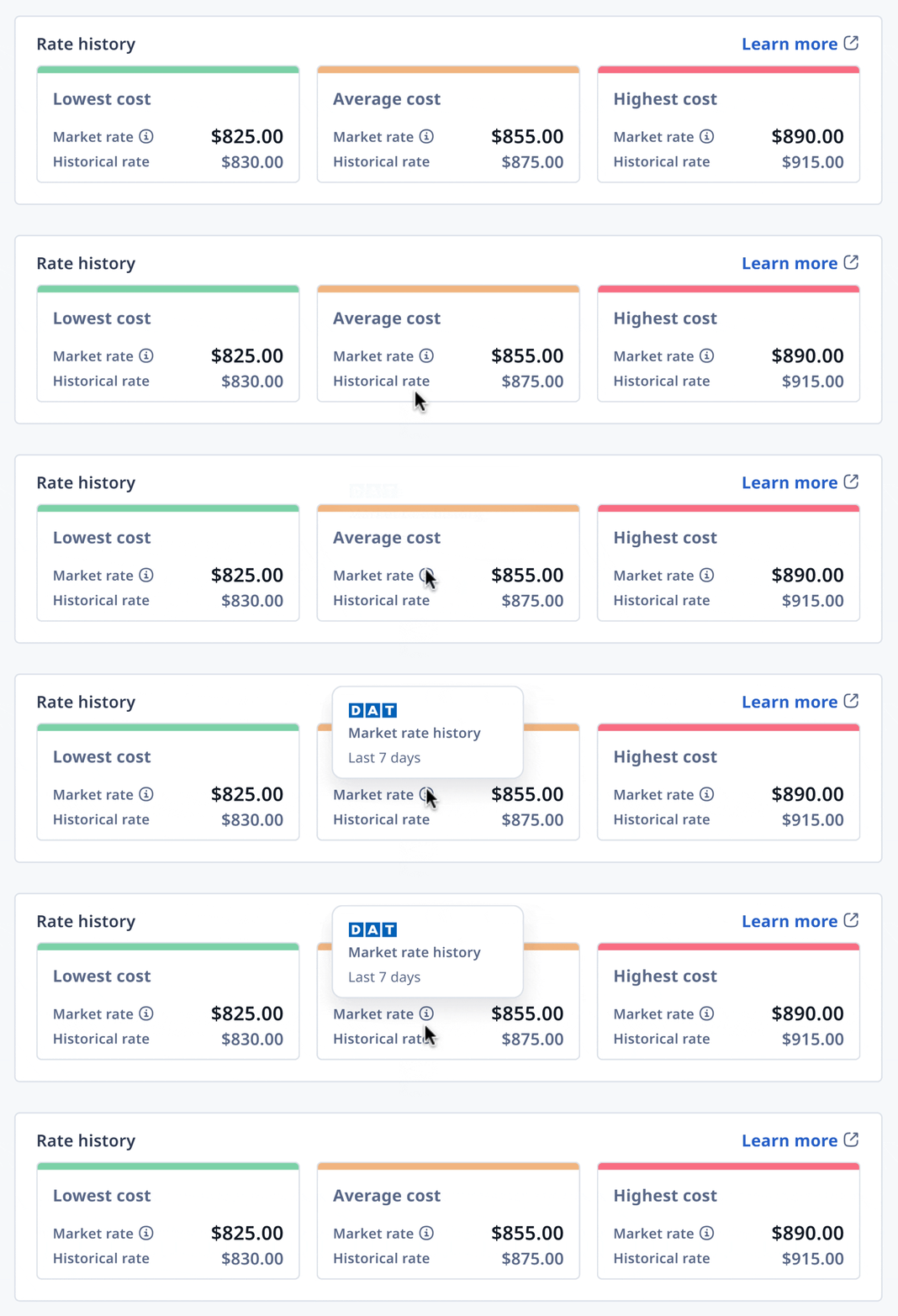
During our discovery, users expressed that the price at which a trip has sold in the past is a good indicator of what it might sell for now. This highlighted the importance of previous rate history and market data in helping Freight Brokers quote their trips.
Final Design
Introducing the Find Partner Rates widget
Our ‘Find Partner Rates’ widget allows Freight Brokers to quickly view available rates for a trucking shipment. Powered by our Rating Engine, it calculates trip costs based on distance and freight dimensions, with options to adjust pricing for discounts, markups, or any additional charges.

Conclusion
Outcome
A welcomed change to the workflow
The goal of this project was to help Freight Brokers quote orders faster and more accurately, ultimately leading to more business won. Given that the existing process was manual and time-consuming, our rate calculator became a valuable addition to brokers' workflows. Many users provided positive feedback, expressing optimism about how the widget could streamline their quoting process and support better decision-making.
However, we did encounter a few challenges. Some users faced errors when trying to find rates, as the Rating Engine requires various inputs both during onboarding and when quoting an order. Often, users entered order details incrementally, which prevented the automation from running due to missing data. This caused frustration and highlighted the need for improved user education and error handling; which we aimed to address in future updates.
Key Learnings
Sometimes go slow, to go fast
User research was the foundation of this project and a key factor in its success. As it was only our second project together as a team, it was crucial for us to gain a deep understanding of the Freight Broker industry and how it differs from other trucking sectors. Along with my Product Manager, we spearheaded an extensive research and discovery initiative to fully understand our users and ensure that every feature was designed with their needs at the core.
Although the process started slowly, it proved to be the right approach, allowing us to build a feature that users loved and immediately found valuable. The feedback was overwhelmingly positive, and the feature became a key selling point, helping to secure 2 enterprise sales deals.
looking ahead
Refining the process and handling errors
For this project: The next phase of this project focused on improving user education and enhancing error handling. Since the Rating Engine requires multiple inputs to function properly, many users encountered errors due to incomplete or missing data. In an industry that often operates on paper and relies heavily on memory, we recognized the need to educate users on effective digital record-keeping. At the same time, we aimed to streamline the process and provide solutions to help users unblock themselves when they encountered issues.
For me: This project was a pivotal experience in my growth as a Product Designer. Working from 0 to 1 in a completely new field pushed me beyond my comfort zone and required significant learning before diving into the design phase. Entering an unfamiliar space for both myself and Rose Rocket led me to take a different approach to my typical design process to find the right solutions. This project reinforced that there's no "one-size-fits-all" in design. Moving forward, I’m excited to tackle new challenges that will continue to push my boundaries and reshape my thinking as a designer.
Check out this next case study:
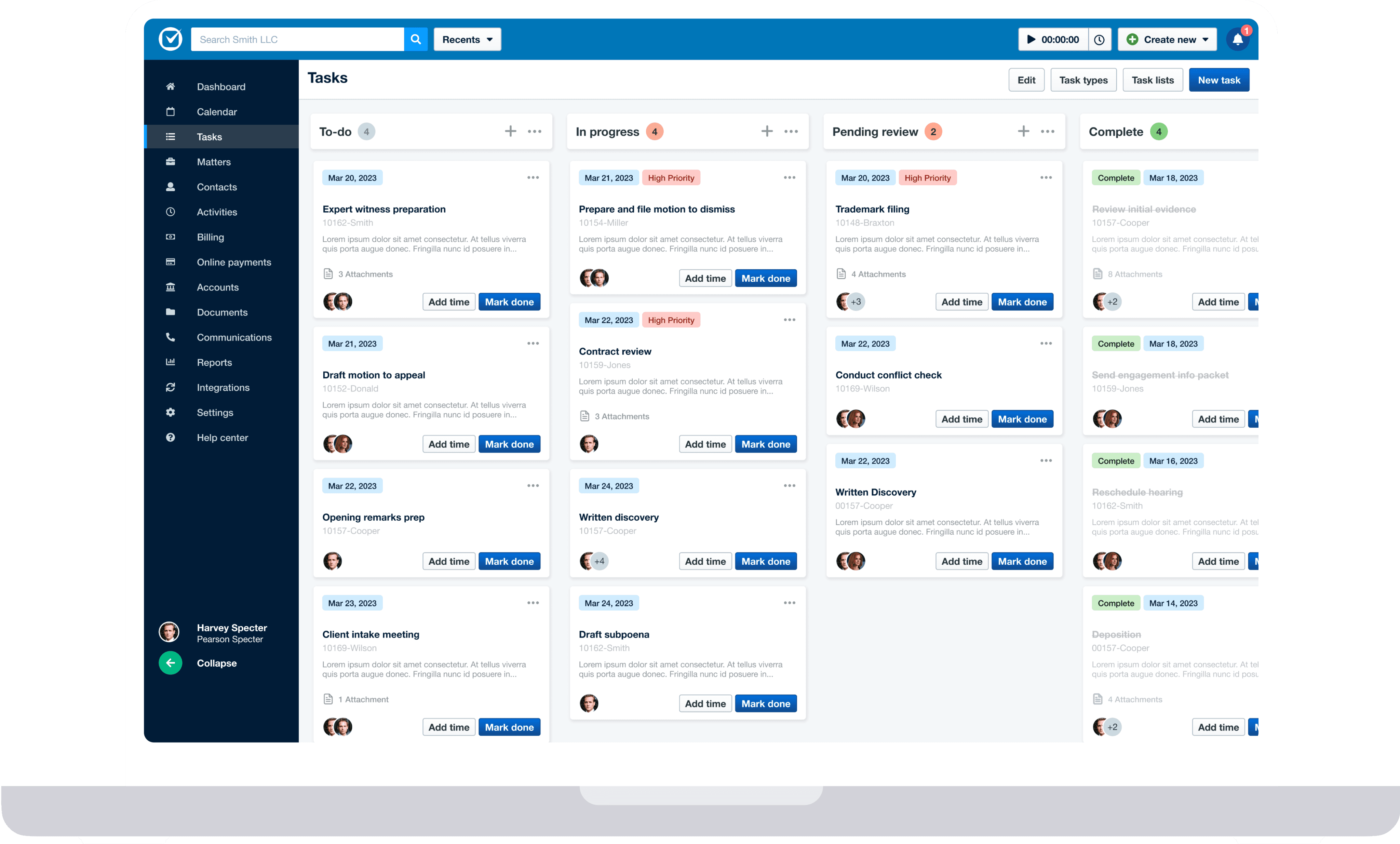
UX design - Product Redesign
A reimagined task feature for a Legal SaaS platform
Redesigning the task feature for a Legal SaaS platform.
Get in touch for opportunities or just to say hi! 👋